


Armory Sponsor


[ARCHIVED THREAD] - New Gen MAWL (Page 1 of 2)
Posted: 8/5/2021 8:29:30 AM EDT
Not sure if everyone saw BE Meyers made some changes to the MAWL. I am saving up for one right now and I was really planning on living in the mid range a button setting for illuminating scattering hogs. Looks like the have don’t away with that spill + hot spot setting though.  https://tnvc.com/shop/b-e-meyers-mawl-c1-ir-visible-laser/ 
|
|
Quoted: I was really planning on living in the mid range a button setting for illuminating scattering hogs. Looks like the have don’t away with that spill + hot spot setting though. Yeah that's a bummer - I also live in that setting most times. Having the wide room-filling spread along with the hotspot that lights up targets well and makes fast shots easy was my fave, especially for shoothouse stuff. ETA: I wonder if there's anything to read between the lines with the note about "settings that are most appropriate for both modern and legacy night vision tube sensitivities" with how resolution drops with many tubes under high light conditions like when you're using the illuminators... probly not, just first thing that came to mind. I personally love the wide+tight beam setting and would probably miss it. |
|
I can certainly understand that some will be disappointed about the change, especially if they had prior expectations based on the older beam divergence patterns and "stacked" mid-range mode in particular, and it can certainly be useful in certain situations. That being said, that mid-range mode could also be a little distracting in certain situations, like shooting around cover/barricades, or even in the prone, with too much splash back, with the only real choice being to shift into long-range modes. For situations like scattering hogs, you'll still have the 10 degree flood via the "B" button, and you'll be able to switch through outputs using the shuttle switch--you won't have the same center "hot spot," but you should still have more than adequate illumination, and in some cases avoid the occasional complaints some users have had about the MAWL illuminator being "too bright" to see the aiming laser. That being said, since the announcement this morning (this was a mid-stream production change, so units have been going out like this since about mid-May) several people have asked about upgrading to the newest version, so I suspect it would not be hard to find someone with a fairly new unit to trade with if you really want the older variant. ~Augee |
|
Would also like to know new alt mode.Attached File Here’s diagram from prior version |
|
The chart in the first post shows all of the available modes and what the A & B buttons do. Here is the info regarding the new features taken from our MAWL C1+ web listing: ***UPDATED 2021 REVISIONS & FEATURES*** Tighter Divergences Reduction in divergences across all MAWL settings have been implemented to provide greater clarity and illumination at longer ranges; meanwhile reducing potential illumination of closer objects that may distract the shooter, such as blades of grass, shrubbery/vegetation, etc. Intuitive and Immediate Operation All (A) Buttons are intended for longer-ranges with tighter divergences, and all (B) buttons are intended for shorter ranges with wider divergences. “Ride the Slide” The current settings allow for the end-user to double-click constant on, and quickly manipulate multiple ranges with any given divergence pattern between high, medium, and close range. For example, an operator may utilize only (B) button within a structure, adjusting between low/medium/high in the wider (B) button setting as they move through stairwells, hallways, and rooms quickly. The same can be said of quickly adjusting through (A) button settings in an exterior urban environment should constant-on IR illumination pose a threat of compromise. TripleClick Two additional settings have been added to the MAWL-C1+, providing two more modes of operation. Whereas there were 6 settings before, now there are 8, providing the end-user with a greater multitude of options depending on environment and application. A new High-Power “TripleClick” capability has been added allowing the end-user more control at further distances. Triple clicking [PUSH-PUSH-HOLD] the (A) or (B) button works to activate/deactivate alternate divergence and power output settings in the Long-Range mode, ensuring Close, Mid, and Long Range settings that are most appropriate for both modern and legacy night vision tube sensitivities. TripleClick High Power Pointer/Illuminator The higher-power illuminator, and higher-power pointer allows for greater visibility of the beam at longer ranges. This is allows for a higher-powered pointer beneficial for seeing target holdover reference points, pushing through obscurants, and/or defeating photonic barriers at distance. Triple-Click High Power Pointer Only This provides the capability of a Commander’s Pointer for ground-to-ground or air-to-ground integration and clear, precise target marking. The B.E. Meyers MAWL-C1+ represents a true paradigm shift in laser system design. It is a full featured infrared and visible green aiming and illumination laser for individual carbines. Offering improved ergonomics, interface, and performance, the MAWL was designed from the ground up around the evolved needs of the warfighter. The original MAWL-DA is a ground-breaking laser system. Now, it is being made available for individual purchase in the form of the MAWL-C1+. The MAWL-C1+ breaks as much ground in performance as the physical form does in function. Class 1+ is a new category in eye-safe laser capability. Standard Class 1 invented the eye-safe IR laser category. Class 1+ perfects it. B.E. Meyers’ engineers have developed a laser system that seriously outperforms competitive units while still abiding by FDA variance. The MAWL-C1+ addresses the use of space and ergonomic shortcomings of lasers on short carbines like the SOCOM Mk18, it mounts offset from the rail to minimize impact on hand position and optic field of view. This revolutionary design leaves the shooter completely unimpeded by mounting mission essential accessories. The offset placement of the laser body allows the onboard fire buttons to be located directly over the rail clamp. This lower profile creates much easier access to the controls, allowing the operator to keep their same firing grip while actuating the laser. Regardless, the MAWL-C1+ is completely ambidextrous. This is achieved through a never-before-seen modular design that allows the head and tail to separate from the body, trade places, and be reassembled on the opposite side. The MAWL-C1+ also features a tool-less tailcap that allows battery removal and replacement without the use of tools, removing the possibility of accidental disassembly that could lead to loss or shift of laser zero. Controls are incredibly intuitive. Output modes are switched by rotating the front bezel to expose the appropriate emitter. OFF = all emitters covered. VIS = Only Visible Green emitter exposed. IR = Only IR Laser Pointer and IR Laser Illuminator emitters exposed. Onboard controls include two “fire” buttons (“A” and “B”) that control the illuminator beam divergence and pattern. The beams are pre focused to optimal FOV and power at various power outputs. Output power control is accomplished with a top-mounted tactile sliding switch. The switch output mode is easy to determine through feel and has three positions for “SHORT,” “MID,” and “LONG” range modes. This means there is no fumbling through complex dial adjustments around the clock in the dark. Everything is rapid and effortless! B. E. Meyers has continued to integrate end-user and operational feedback to improve the functionality of the MAWL, with the addition of two more functions using a “Triple Click” beginning in 2021 and several revisions to the beam divergence and output to continue to make the MAWL one of the most intuitive and functional lasers available on the market. |
|
Quoted: ... That being said, since the announcement this morning (this was a mid-stream production change, so units have been going out like this since about mid-May) several people have asked about upgrading to the newest version, so I suspect it would not be hard to find someone with a fairly new unit to trade with if you really want the older variant. ... 
|
|
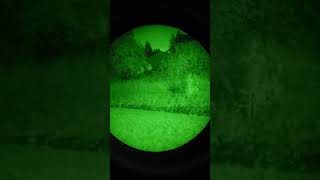
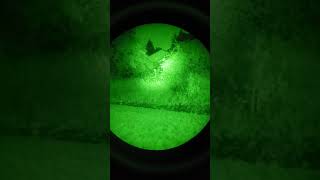
Quoted: I guess I really need a side by side comparison of the new and old illuminator settings. Anyone with a new one able to take a picture or video of the new settings?  Each video captures 3 taps of the B button, followed by 3 taps of the A button. Short  MAWL SHORT Mid Long *new* Triple-Click 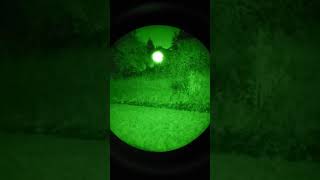 MAWL TRIPLE-CLICK |
|
Here are the numbers side by side, I am in the market for another one, now am not so sure New Revision (Previous Revision) Triple Click A] 67 mW 2º Illuminator + 0.7 mW pointer B] 0.7 mW pointer Long A] 50-2º + 0.7 pointer (50-4º + 0.7 pointer) B] 65-10º + 0.7 pointer (0.7 pointer) Mid A] 17-2º + 0.7 pointer (80-16º + 50 4º + 0.7 pointer) B] 13-10º + 0.4 pointer (40-16º + 50 4º + 0.7 pointer) Short A] 0.25 pointer (40-60º + 0.7 pointer) B] 5-60º + 0.25 pointer (5-60º + 0.4 pointer) |
|
That's it.....I've had it......After reading all of this I can't stand the pressure anymore! I have to know for myself what this whole "Triple Clicking" is all about and how far both the Pointer & Illuminator flood appear like!!! (I gots to know!) I had removed mine last week to do a wicked rifle cleaning (Wasn't IR zeroed yet anyway) and rather than trying to walk through my neighborhood carrying an AR to the huge Park nearby, I'll simply walk there tonight w a backpack. Haven't truly tested the ANVRS out w my DTNVS so by the end of this weekend I'll have something up. (Like anyone will be anxiously waiting...  ) )Hey Tejas1836 - how do you get that "degree" symbol up in your data? Not that I can understand it much, but I can't tell which one is which in the comparison w the two "Revisions" there. Are the numbers really THAT different? I'm completely content w the one I bought 6 months ago! Put it up againt a FP DBAL-A3 and it held its own bigtime! The only big difference w the FP A3 is that you can adjust the Illuminator- which of course involves you sticking your mitt way up there by the muzzle to manually turn the knob. IMHO the MAWL is a killer device and is definitely versatile. No doubt I'm a Rock when it comes to the data, but it seriously performs! Does anyone else sometimes have a tad bit of trouble getting it into the "Long" setting, w that depressed switch - or determining if it's in Mid vs Long?  .....sorry for the useless novel. Attached File Attached File Attached File shit.why are my images full screen! |
|
Quoted: Here are the numbers side by side, I am in the market for another one, now am not so sure New Revision (Previous Revision) Triple Click A] 67 mW 2º Illuminator + 0.7 mW pointer B] 0.7 mW pointer Long A] 50-2º + 0.7 pointer (50-4º + 0.7 pointer) B] 65-10º + 0.7 pointer (0.7 pointer) Mid A] 17-2º + 0.7 pointer (80-16º + 50 4º + 0.7 pointer) B] 13-10º + 0.4 pointer (40-16º + 50 4º + 0.7 pointer) Short A] 0.25 pointer (40-60º + 0.7 pointer) B] 5-60º + 0.25 pointer (5-60º + 0.4 pointer) On paper I like the old one better, I’d have to compare side by side in person to really make an accurate judgment. |
|
Quoted: @gwood188 took some video tonight. Unfortunately, the barn in my neighbor's yard is only about 20 yards away, so there is a lot of bloom and it doesn't really show what the MAWL is capable of at long distance. It was at least a good excuse to get out of the house and play with my new cell phone adapter. Each video captures 3 taps of the B button, followed by 3 taps of the A button. Short  https://www.youtube.com/watch?v=2n0_mB4kzYc https://www.youtube.com/watch?v=2n0_mB4kzYcMid https://www.youtube.com/watch?v=gOzvDa1QSdkLong https://www.youtube.com/watch?v=6IHnoop4PIw*new* Triple-Click https://www.youtube.com/watch?v=zdu5UbVPF1cQuoted: Quoted: I guess I really need a side by side comparison of the new and old illuminator settings. Anyone with a new one able to take a picture or video of the new settings? Each video captures 3 taps of the B button, followed by 3 taps of the A button. Short https://www.youtube.com/watch?v=2n0_mB4kzYcMid https://www.youtube.com/watch?v=gOzvDa1QSdkLong https://www.youtube.com/watch?v=6IHnoop4PIw*new* Triple-Click https://www.youtube.com/watch?v=zdu5UbVPF1cAwesome. Thanks for doing that. Unfortunately, as you eluded to, we need to see longer distances to really get a good idea of the illuminator for this new Gen. It’s weird, while I get why a professional end user would want to not have the wide spill in the mid setting to prevent splash in certain positions, I have never thought the mawl’s illuminator should be more narrow. But I will fully admit I am just getting into night vision heavily. |
|
Quoted: ... Does anyone else sometimes have a tad bit of trouble getting it into the "Long" setting, w that depressed switch - or determining if it's in Mid vs Long? ... |
|
Quoted: @gwood188 took some video tonight. Unfortunately, the barn in my neighbor's yard is only about 20 yards away, so there is a lot of bloom and it doesn't really show what the MAWL is capable of at long distance. It was at least a good excuse to get out of the house and play with my new cell phone adapter. Each video captures 3 taps of the B button, followed by 3 taps of the A button. Short https://www.youtube.com/watch?v=2n0_mB4kzYcMid https://www.youtube.com/watch?v=gOzvDa1QSdkLong https://www.youtube.com/watch?v=6IHnoop4PIw*new* Triple-Click https://www.youtube.com/watch?v=zdu5UbVPF1cIs it just the lighting conditions, or is that short range illumination doing very little? I know its not supposed to knock any socks off, but i thought at close range it’d to a little more than that |
|
Quoted: Is it just the lighting conditions, or is that short range illumination doing very little? I know its not supposed to knock any socks off, but i thought at close range it'd to a little more than that Quoted: Quoted: @gwood188 took some video tonight. Unfortunately, the barn in my neighbor's yard is only about 20 yards away, so there is a lot of bloom and it doesn't really show what the MAWL is capable of at long distance. It was at least a good excuse to get out of the house and play with my new cell phone adapter. Each video captures 3 taps of the B button, followed by 3 taps of the A button. Short https://www.youtube.com/watch?v=2n0_mB4kzYcMid https://www.youtube.com/watch?v=gOzvDa1QSdkLong https://www.youtube.com/watch?v=6IHnoop4PIw*new* Triple-Click https://www.youtube.com/watch?v=zdu5UbVPF1cIs it just the lighting conditions, or is that short range illumination doing very little? I know its not supposed to knock any socks off, but i thought at close range it'd to a little more than that |

|
As stated, went out and did a night walk w my DTNVS and attempted to do a test with the MAWL on 2 different rooftops I ranged at 150 and 250 yards. Recorded it all on my ANVRS but the hard lesson learned is = Don't even try to conduct anything w an "unsupported" Laser Device! Damn hand & arm were shaking all over the place and the video isn't even worth sharing because of it. Also, not sure what the hell I was doing wrong but I couldn't get the Illuminator to work as shown in the other video here. WTF am I missing on that? Only good thing that came out of the whole thing was being able to stand 3ft from some teen on a bicycle who stopped right next to me while he adjusted his Playlist or something. The kid had zero idea I was standing right there illuminated like daylight w a Modlite IR Head. Could've easily just reached out and touched him like the scene w the tranny freak in Silent of The Lambs! Next time I'll at least take an empty Upper w the MAWL on it. Ughhhh.... |
|
Quoted: As stated, went out and did a night walk w my DTNVS and attempted to do a test with the MAWL on 2 different rooftops I ranged at 150 and 250 yards. Recorded it all on my ANVRS but the hard lesson learned is = Don't even try to conduct anything w an "unsupported" Laser Device! Damn hand & arm were shaking all over the place and the video isn't even worth sharing because of it. Also, not sure what the hell I was doing wrong but I couldn't get the Illuminator to work as shown in the other video here. WTF am I missing on that? Only good thing that came out of the whole thing was being able to stand 3ft from some teen on a bicycle who stopped right next to me while he adjusted his Playlist or something. The kid had zero idea I was standing right there illuminated like daylight w a Modlite IR Head. Could've easily just reached out and touched him like the scene w the tranny freak in Silent of The Lambs! Next time I'll at least take an empty Upper w the MAWL on it. Ughhhh.... For my next attempt: the Konami code.
|
|
Quoted: The triple-click + press and hold to switch to the additional modes seemed a little finnicky to me. It took me at least 3 attempts each of the times I've tried it. The good news is, it stays in that mode until you turn the selector cap back to OFF. For my next attempt: the Konami code Thanks. I'll try to remember this. How about my Date Stamp for both Production & Inspection Date. Where does this fall in the "New" Version? Yay or Nay? Attached File |
|
Quoted: I don’t think so.. My mawl dated 6/3/21 went to try the triple click and battery is dead. Got it a couple weeks ago, only fired the vis laser a couple times  Yikes. That's not good. I had to change the battery twice so far. About 4 months of sitting around till dead. |
|
Quoted: Yikes. That's not good. I had to change the battery twice so far. About 4 months of sitting around till dead. Quoted: Quoted: I don’t think so.. My mawl dated 6/3/21 went to try the triple click and battery is dead. Got it a couple weeks ago, only fired the vis laser a couple times Yikes. That's not good. I had to change the battery twice so far. About 4 months of sitting around till dead. To be fare I forgot to switch it back to off, so that could be a big part of it... |
Jon just posted a new video covering the update programming. I think I still like the old mid range better.  Failed To Load Title |
|
Quoted: Jon just posted a new video covering the update programming. I think I still like the old mid range better. https://www.youtube.com/watch?v=YBQFyidWtAcOTOH, the short mode having a laser-only option is probably an improvement. |
|
Quoted: Jon just posted a new video covering the update programming. I think I still like the old mid range better. https://www.youtube.com/watch?v=YBQFyidWtAcI REALLY wanted to like this guy from Kinetic but I just can't seem to take too much from his videos. He's just so "wishy-washy" when explaining features that he trips himself up and has to go back over things to correct himself - don't get me wrong, it's better to admit he mis-stated something but he does it was too much. He even said the MAWL takes a "C1+ Battery" here too. In his video on setting up a Pelican Case he literally talked about himself and all his gear for 10-15 mins before addressing anything Case oriented. I'm no hypocrite and even bought 2 NERDs from them but I just can't get past alot of his vids. Based on what he said in this - if you are able see the tiny illuminated identifier which shows its powered on (See my Post with Pics on 8/6) then we have the new variant of the MAWL. Is that correct? Well, back out to conduct another 3 Press Test for me I guess!
|
|
Quoted: I REALLY wanted to like this guy from Kinetic but I just can't seem to take too much from his videos. He's just so "wishy-washy" when explaining features that he trips himself up and has to go back over things to correct himself - don't get me wrong, it's better to admit he mis-stated something but he does it was too much. He even said the MAWL takes a "C1+ Battery" here too. In his video on setting up a Pelican Case he literally talked about himself and all his gear for 10-15 mins before addressing anything Case oriented. I'm no hypocrite and even bought 2 NERDs from them but I just can't get past alot of his vids. Based on what he said in this - if you are able see the tiny illuminated identifier which shows its powered on (See my Post with Pics on 8/6) then we have the new variant of the MAWL. Is that correct? Well, back out to conduct another 3 Press Test for me I guess! If Duffy's video style just doesn't work for you, it is what it is, different people prefer different styles. The videos I make tend to end sounding more like (and being as long as) college lectures, again, it is what it is, few of us are polished media personalities--the guys that can do both are rare, which is why they can become wildly successful. However I can assure you that Jon's got both knowledge and experience, there's a lot of information and a lot of little details that it can sometimes be hard to keep track of them all. Beyond that, on all MAWLs, yes, there are indicator lights to show that the device is both powered on (in either VIS or IR mode) as well as activated. ~Augee |

|
Quoted: I REALLY wanted to like this guy from Kinetic but I just can't seem to take too much from his videos. He's just so "wishy-washy" when explaining features that he trips himself up and has to go back over things to correct himself - don't get me wrong, it's better to admit he mis-stated something but he does it was too much. He even said the MAWL takes a "C1+ Battery" here too. In his video on setting up a Pelican Case he literally talked about himself and all his gear for 10-15 mins before addressing anything Case oriented. I'm no hypocrite and even bought 2 NERDs from them but I just can't get past alot of his vids. Based on what he said in this - if you are able see the tiny illuminated identifier which shows its powered on (See my Post with Pics on 8/6) then we have the new variant of the MAWL. Is that correct? Well, back out to conduct another 3 Press Test for me I guess! Jon’s a fantastic instructor, as well as a good dude. He definitely knows what he is talking about, despite misspeaking, especially when it comes to night vision stuff. I guess it doesn’t bother me when he misspeaks since I know what he meant to say based on the context. Also if you asked him about it, just based off my limited interactions with him he would probably say something like “what ever man. You do you boo boo.” Also he just posted on his IG how to tell the difference between the models using the short range A button in a dim room |
|
Quoted: Jon just posted a new video covering the update programming. I think I still like the old mid range better. https://www.youtube.com/watch?v=YBQFyidWtActhat was really helpful. now I need to find 3K. |
| I received my Mawl today and I’ve been messing around with it for the last 30 minutes or so. It’s worth every penny. It’s a fairly bright night out tonight and it had no problem brightly illuminating the trees 300-350 yards behind my house, the trees beside my house at 450, and across the road at 500+. I’m fairly certain that if I had a clip on it would provide adequate illumination past 600. Even further if it was really dark out. Tomorrow I’ll go across the road and try it out to a 1000. I was kind of worried that they got rid of the old mid range mode, since from the videos I’ve seen the mid range seemed great for a lot of different things. The mid range mode and long range B button on the new version works just as well. I’ve had full power peqs in the past and I would choose this every time. Also I’m going to leave the battery in it until dead, set to off when not in use to check for parasitic drain. |
|
My take away, briefly comparing this newest revision vs previous. I have been using the previous version, just received the newest revision Friday so last night and tonight, indoors and outdoors. Previous version: For me, better for outdoors where brighter and more beam divergence might be helpful, like scattering pests. But, if there was anything close up, 3-10 yards in front of me, chairs, and in particular a light wooden railing, there was a lot of distracting splash back as mentioned by Mr. Augee above, that was not present with the newest revision. Newest revision: Much much better for indoors, CQ, and outdoors if a lot of spill is not needed for scattering pests. Much better indoors than the previous version- like Augee mentioned, not the splash back of reflected light. Easy to toggle between Short B and Mid B [click and hold Short B] toggle between Short and Mid. I can see this newer revision being better outdoors in thick brush/trees/obstacles as mentioned by Augee, and still fast switch between Long [non-triple click] B and Long Triple Click A Shout out to Augee- I started laughing after using my L3H 31As the first time, omg these are amazing, Thanks for my setup, glad I waited! @TNVC_Augee Also, some observations: Previous revision using new Energizer lithium 123A, new revision using 2 AA Energizer lithiums: Newer revision Short B illuminator noticeably brighter and, across the modes, all newer revision illuminators and IR lasers are cleaner, less grainy. ? Normal variance, small sample size, lens changes, power source? |
|
Quoted: What are you guys using to activate the visible laser and a separate white light at the same time? I suppose if I needed to, I have the Unity Hot Button for my white light in front of my MAWL controls, and I could probably mash both with my support hand thumb simultaneously. Attached File |
|
Quoted: What are you guys using to activate the visible laser and a separate white light at the same time? TAPS Sync |
|
Quoted: My take away, briefly comparing this newest revision vs previous. I have been using the previous version, just received the newest revision Friday so last night and tonight, indoors and outdoors. Previous version: For me, better for outdoors where brighter and more beam divergence might be helpful, like scattering pests. But, if there was anything close up, 3-10 yards in front of me, chairs, and in particular a light wooden railing, there was a lot of distracting splash back as mentioned by Mr. Augee above, that was not present with the newest revision. Newest revision: Much much better for indoors, CQ, and outdoors if a lot of spill is not needed for scattering pests. Much better indoors than the previous version- like Augee mentioned, not the splash back of reflected light. Easy to toggle between Short B and Mid B [click and hold Short B] toggle between Short and Mid. I can see this newer revision being better outdoors in thick brush/trees/obstacles as mentioned by Augee, and still fast switch between Long [non-triple click] B and Long Triple Click A Shout out to Augee- I started laughing after using my L3H 31As the first time, omg these are amazing, Thanks for my setup, glad I waited! @TNVC_Augee Also, some observations: Previous revision using new Energizer lithium 123A, new revision using 2 AA Energizer lithiums: Newer revision Short B illuminator noticeably brighter and, across the modes, all newer revision illuminators and IR lasers are cleaner, less grainy. ? Normal variance, small sample size, lens changes, power source? Great comparison! How do you feel like the old mid range A button setting and the new long range B button compare? Obviously no hot spot do you feel like the new one gives you enough illumination and spill for running hogs from like 40-200yds? At this point I’m leaning towards getting a used one or saving a little more for a Raid. |
|
Quoted: Great comparison! How do you feel like the old mid range A button setting and the new long range B button compare? Obviously no hot spot do you feel like the new one gives you enough illumination and spill for running hogs from like 40-200yds? At this point I’m leaning towards getting a used one or saving a little more for a Raid. For that scenario, definitely the previous Mid A, if it is a clearing. If dense brush then Old Short A or B, New Short B/Mid B I am keeping my previous revision on my dedicated outdoor upper, new revision on CQB I bet there will be EE listings for the previous revision. |
|
Quoted: What are you guys using to activate the visible laser and a separate white light at the same time? Quoted: What are you guys using to activate the visible laser and a separate white light at the same time? Quoted: TAPS Sync Ditto on TAPS. Also have a couple Hot Buttons I'm thinking of trying but that limits your selections. Curious if anyone uses one of those on a dedicated NV rifle? |
[ARCHIVED THREAD] - New Gen MAWL (Page 1 of 2)
Armory Sponsor
Join the Community
Your next conversation starts here.
Create your free account to join discussions, share your experience, save topics, and connect with the AR15.COM community.
- Join discussions
- Follow topics and replies
- Connect with fellow enthusiasts
Already a member? Sign in
Stay informed by subscribing to our Newsletter