


Bambu Lab general thread - X1, X2, P1, A1, H2 series (Page 6 of 30)

|
Originally Posted By sanitywarped: Ok so I tried reading up on it and have come up with confusing/conflicting information. So the X1c can do LAN only, though im reading conflicting information in that its ftp upload only and no app and other posts saying the app works (could have been an update). Also people have mentioned that they got LAN only mode working on the p1p so ill need to revisit that and see if I can get that working on the P1S Thank you for your post. I’m still on the fence. I like the Bambu but I would like a bigger build platform. Maybe a Qidi max 3 |
|
Originally Posted By Gage: Thank you for your post. I’m still on the fence. I like the Bambu but I would like a bigger build platform. Maybe a Qidi max 3 Originally Posted By Gage: Originally Posted By sanitywarped: Ok so I tried reading up on it and have come up with confusing/conflicting information. So the X1c can do LAN only, though im reading conflicting information in that its ftp upload only and no app and other posts saying the app works (could have been an update). Also people have mentioned that they got LAN only mode working on the p1p so ill need to revisit that and see if I can get that working on the P1S Thank you for your post. I’m still on the fence. I like the Bambu but I would like a bigger build platform. Maybe a Qidi max 3 Honestly unless you want/need multi-material you would probably be better served with the Qidi, the bambu's are nice but they are limited |
|
Originally Posted By -Obsessed-: I'd look at Qidi X Max 3. Thanks, did a bunch of research and ordered the Qidi plus 3. Pretty excited about it actually. Not as big as the max but still a significantly larger build plate than my mk2.5s. I'm ready to try some of this corexy action. I'll stop diverting the thread now. 
|

|
Originally Posted By sanitywarped: Ok tested on my PS1 and it can do LAN only through the Bambu Studio now, no cloud connectivity required. I am able to send a print to the printer through the app and can use the camera Are there any setup instructions for LAN only that you've found or did you just have to poke around and figure it out somehow? |
The dildo of consequence rarely arrives lubed.

|
Originally Posted By Gage: Can you print from the Micro SD card while not on Wi-Fi? Affirmative, my X1C has been operating like this for months. |
"And I never did get my lawnmower back!" - Bandit 6
"On the bright side, the money we saved by not going to Mars in the 1970s, we spent on welfare and public schools." - @MorlockP
"On the bright side, the money we saved by not going to Mars in the 1970s, we spent on welfare and public schools." - @MorlockP
|
Originally Posted By mancow: Are there any setup instructions for LAN only that you've found or did you just have to poke around and figure it out somehow? Originally Posted By mancow: Originally Posted By sanitywarped: Ok tested on my PS1 and it can do LAN only through the Bambu Studio now, no cloud connectivity required. I am able to send a print to the printer through the app and can use the camera Are there any setup instructions for LAN only that you've found or did you just have to poke around and figure it out somehow? Not too bad (I am using the latest firmware version and latest Bambu Studio version). On the printer itself you select Lan Mode under the wireless settings. After that you wait a bit then try to connect to the printer from the app. It does take a bit for it to connect but it was rather painless |


|
Originally Posted By ORjeepguy: I think I'll order an x1c this weekend. My first printer. Primarily to print jigs for my fiber laser at first. Any extra consumables I should order with it? I guess that depends on how much you plan on printing.  I order 40-50kg at a time. But I'd at least grab a few KGs of PLA, PLA+, PETG, CF PETG, and ASA, to start with. All have their place. |

|
Any extra consumables I should order with it? In case you didn't know, there is an announcement for something new coming on the 20th. |
|
Originally Posted By -Obsessed-: I guess that depends on how much you plan on printing. I order 40-50kg at a time. But I'd at least grab a few KGs of PLA, PLA+, PETG, CF PETG, and ASA, to start with. All have their place. Ok, figured on a few hundred bucks in filaments. Especially with the discount with the machine. |
I swear to God I'm going to pistol whip the next guy who says, " Shenanigans."
|
Originally Posted By PC-Tech: More filament. I would not call myself a heavy user. I do print more the the average guy. I still have not used all the parts it came with. Their maintenance part is not priced too badly and shipping is usually cheap or free shipping on orders over $49. In case you didn't know, there is an announcement for something new coming on the 20th. Originally Posted By PC-Tech: Any extra consumables I should order with it? In case you didn't know, there is an announcement for something new coming on the 20th. I had seen something about the 20th. Might hold off until then. I'm likely ordering a 100w co2 shortly. That will keep me busy until the end of the month. I need more workspace |
I swear to God I'm going to pistol whip the next guy who says, " Shenanigans."

|
I would suggest a P1S if you're going Bambu. I have the X1C with AMS, and Im not sure the extra sensors are worth it. The flow calibration wizards on the latest firmware might be. I can get calibrated OK using the normal methods, but the prints after their calibration routines are pretty damn good. I need to get something to extend my WiFi into the opposite end of my house from my router. The LAN-only connection isn't stable. The camera worked on LAN only, on the firmware where the feature was unlocked. On the next firmware, I can't get it to connect; I think that is a connection strength issue. When the connection is strong, LAN-only job loading is a lot faster than their cloud. |

|
Originally Posted By ORjeepguy: I had seen something about the 20th. Might hold off until then. I'm likely ordering a 100w co2 shortly. That will keep me busy until the end of the month. I need more workspace They have been hinting at some kind of multi-filament hotend, and then today also some kind of noise reduction. |
"And I never did get my lawnmower back!" - Bandit 6
"On the bright side, the money we saved by not going to Mars in the 1970s, we spent on welfare and public schools." - @MorlockP
"On the bright side, the money we saved by not going to Mars in the 1970s, we spent on welfare and public schools." - @MorlockP

|
Originally Posted By mPisi: They have been hinting at some kind of multi-filament hotend, and then today also some kind of noise reduction. Originally Posted By mPisi: Originally Posted By ORjeepguy: I had seen something about the 20th. Might hold off until then. I'm likely ordering a 100w co2 shortly. That will keep me busy until the end of the month. I need more workspace They have been hinting at some kind of multi-filament hotend, and then today also some kind of noise reduction. Are you following an official blog? BTW, I’m expecting to take delivery of my P1S next Tuesday. |
Two guns, one bullet
|
just reading things on Reddit board, there's a Bambu Lab account that posts there. Probably the same stuff as their instagram or whatever, but them people can have discussions. https://old.reddit.com/r/BambuLab/comments/16cf906/shhh/ https://old.reddit.com/r/BambuLab/comments/169re0k/colourful_3d_printing_for_everyone/ |
"And I never did get my lawnmower back!" - Bandit 6
"On the bright side, the money we saved by not going to Mars in the 1970s, we spent on welfare and public schools." - @MorlockP
"On the bright side, the money we saved by not going to Mars in the 1970s, we spent on welfare and public schools." - @MorlockP
|
Continuing teasers for announcements on the 20th. The list so far: Multi color for everyone New printer Noise canceling Quick swap |
"And I never did get my lawnmower back!" - Bandit 6
"On the bright side, the money we saved by not going to Mars in the 1970s, we spent on welfare and public schools." - @MorlockP
"On the bright side, the money we saved by not going to Mars in the 1970s, we spent on welfare and public schools." - @MorlockP
|
Originally Posted By Tholo: I'd love to hear a first hand report. Originally Posted By Tholo: Originally Posted By targetworks: Are you following an official blog? BTW, I'm expecting to take delivery of my P1S next Tuesday. Just received it - have watched an unboxing and setup video (not including the AMS) and will follow that this evening with the official unboxing and setup video including the AMS. Curious to see what’s coming on the 20th. |
Two guns, one bullet
|
Completed setting up the P1S with AMS - between the instructions in the wiki and the official setup video and the similar instructions in the printed setup guide, things went smoothly with only minor glitches (for example, it took a couple tries to pair the Handy app to the printer via BT and then to pair with my WiFi) but generally I took my time and everything worked up through and including the self-test and loading filament into the AMS. It came with three sample-sized reels of PLA, two basic and one ‘support’ style. When I attempted my first print, I had a power failure likely caused by tripping the circuit breaker in the power strip that it is connected through. The power failure occurred as it was doing bed leveling in preparation for printing. It did successfully feed the PLA to the print head (I could see it dripping from the hot end over the disposal chute during pre-printing - when it cut off that solidified drip filament, it tossed it onto the print bed instead of down the chute, so I’ll keep an eye on it in the future). I will have to set up a direct power connection to the wall outlet rather than going through the power strip - need to pick up a short power extension cable for that today and will then restart my first print. |
Two guns, one bullet
|
Put in a direct, heavy-duty extension cord from the printer's power cable to the wall receptacle. I have started my first print, from one of the sample files on the SD card (P1S scraper grip). Logged in to Bambu Studio and registered the device from the cloud (I had previously set things up with the Bambu Handy app on my Amazon Fire Tablet). I can see print progress, various telemetry items (hot-end temp, bed temp, AMS filaments loaded, current filament in use for the print, lamp, etc.). What is not working for me is viewing the camera stream live - I clicked the green 'play' button on the screen, and the app responded with a Loading... progress message, but that's where it stays. The camera troubleshooting page at https://wiki.bambulab.com/en/software/bambu-studio/faq/live-view identifies several possible problem scenarios with steps to address them, but this situation is not one of the ones listed. The fan noise is 'loud' - didn't have any particular expectations, but was a bit surprised at that. I just watched it do a filament color change from the AMS on the fly, which was neat. I did just get a 'Bambu Studio is not responding' message, and the program appears to be stuck - I told the system to wait for it to respond, but I will probably shut it down and restart it. Reloaded the program, tried again to start the camera but no dice - the progress indicator (which loaded upon startup) does not appear to be getting updated with the percentage complete or layer count data as things progress. Not sure whether that may indicate some sort of network problem or something else - I'm using a new (to me) Windows 10 laptop workstation, for which I have only done minimal setup so far. |
Two guns, one bullet
|
Originally Posted By targetworks: Put in a direct, heavy-duty extension cord from the printer's power cable to the wall receptacle. I have started my first print, from one of the sample files on the SD card (P1S scraper grip). Logged in to Bambu Studio and registered the device from the cloud (I had previously set things up with the Bambu Handy app on my Amazon Fire Tablet). I can see print progress, various telemetry items (hot-end temp, bed temp, AMS filaments loaded, current filament in use for the print, lamp, etc.). What is not working for me is viewing the camera stream live - I clicked the green 'play' button on the screen, and the app responded with a Loading... progress message, but that's where it stays. The camera troubleshooting page at https://wiki.bambulab.com/en/software/bambu-studio/faq/live-view identifies several possible problem scenarios with steps to address them, but this situation is not one of the ones listed. The fan noise is 'loud' - didn't have any particular expectations, but was a bit surprised at that. I just watched it do a filament color change from the AMS on the fly, which was neat. I did just get a 'Bambu Studio is not responding' message, and the program appears to be stuck - I told the system to wait for it to respond, but I will probably shut it down and restart it. Reloaded the program, tried again to start the camera but no dice - the progress indicator (which loaded upon startup) does not appear to be getting updated with the percentage complete or layer count data as things progress. Not sure whether that may indicate some sort of network problem or something else - I'm using a new (to me) Windows 10 laptop workstation, for which I have only done minimal setup so far. I've been struggling with getting a strong enough connection to my WiFi, but my printer is at the opposite end of the house and on another floor. The camera connection hasn't been stable. I just started getting serious about fixing it yesterday with a WiFi extender. I moved it again today; I need to find a sweet spot between my router and my printer. Or just move the printer to my office. For what its worth, the Bambu cloud isn't very reliable either. It's had me pulling my hair out to send a project to print before. Sending files Lan-only is a lot faster, but the camera is disabled for machines lower than the X1C over LAN-only (if I remember correctly). It's a policy decision, not a capability decision, also as far as I know. The fans are loud, no doubt. |
|
Originally Posted By Tholo: Are you in Lan-only mode? I don't think so based on your using the handy app. I've been struggling with getting a strong enough connection to my WiFi, but my printer is at the opposite end of the house and on another floor. The camera connection hasn't been stable. I just started getting serious about fixing it yesterday with a WiFi extender. I moved it again today; I need to find a sweet spot between my router and my printer. Or just move the printer to my office. For what its worth, the Bambu cloud isn't very reliable either. It's had me pulling my hair out to send a project to print before. Sending files Lan-only is a lot faster, but the camera is disabled for machines lower than the X1C over LAN-only (if I remember correctly). It's a policy decision, not a capability decision, also as far as I know. The fans are loud, no doubt. Originally Posted By Tholo: Originally Posted By targetworks: Put in a direct, heavy-duty extension cord from the printer's power cable to the wall receptacle. I have started my first print, from one of the sample files on the SD card (P1S scraper grip). Logged in to Bambu Studio and registered the device from the cloud (I had previously set things up with the Bambu Handy app on my Amazon Fire Tablet). I can see print progress, various telemetry items (hot-end temp, bed temp, AMS filaments loaded, current filament in use for the print, lamp, etc.). What is not working for me is viewing the camera stream live - I clicked the green 'play' button on the screen, and the app responded with a Loading... progress message, but that's where it stays. The camera troubleshooting page at https://wiki.bambulab.com/en/software/bambu-studio/faq/live-view identifies several possible problem scenarios with steps to address them, but this situation is not one of the ones listed. The fan noise is 'loud' - didn't have any particular expectations, but was a bit surprised at that. I just watched it do a filament color change from the AMS on the fly, which was neat. I did just get a 'Bambu Studio is not responding' message, and the program appears to be stuck - I told the system to wait for it to respond, but I will probably shut it down and restart it. Reloaded the program, tried again to start the camera but no dice - the progress indicator (which loaded upon startup) does not appear to be getting updated with the percentage complete or layer count data as things progress. Not sure whether that may indicate some sort of network problem or something else - I'm using a new (to me) Windows 10 laptop workstation, for which I have only done minimal setup so far. I've been struggling with getting a strong enough connection to my WiFi, but my printer is at the opposite end of the house and on another floor. The camera connection hasn't been stable. I just started getting serious about fixing it yesterday with a WiFi extender. I moved it again today; I need to find a sweet spot between my router and my printer. Or just move the printer to my office. For what its worth, the Bambu cloud isn't very reliable either. It's had me pulling my hair out to send a project to print before. Sending files Lan-only is a lot faster, but the camera is disabled for machines lower than the X1C over LAN-only (if I remember correctly). It's a policy decision, not a capability decision, also as far as I know. The fans are loud, no doubt. My printer and the laptop running Bambu Studio are within 25 feet from my WiFi access point. I’ll take another look at it (and at the support documents) tomorrow. But at least I have a working printer and can start experimenting with my own models, slicing, etc. |
Two guns, one bullet
| Another teaser today, something to do with tangled spools. Possibly just some kind of early detection but we're hoping for an auto-respooler thing. And an AMS with abuilt-in drying capability. Big announcement on the 20th. |
"And I never did get my lawnmower back!" - Bandit 6
"On the bright side, the money we saved by not going to Mars in the 1970s, we spent on welfare and public schools." - @MorlockP
"On the bright side, the money we saved by not going to Mars in the 1970s, we spent on welfare and public schools." - @MorlockP
|
Originally Posted By mPisi: Another teaser today, something to do with tangled spools. Possibly just some kind of early detection but we're hoping for an auto-respooler thing. And an AMS with abuilt-in drying capability. Big announcement on the 20th. I had wondered whether people were putting desiccant packs inside the AMS… Otherwise, how long until the filament has soaked up too much moisture? |
Two guns, one bullet
|
Originally Posted By targetworks: I had wondered whether people were putting desiccant packs inside the AMS Otherwise, how long until the filament has soaked up too much moisture? The software monitors the humidity inside to let you know when to change it out. eta: I'll also put a cylinder of dessicant in the bore of the spool to add some more volume. Several like this on printables |
|
I fixed the issue that was preventing the display of the live camera view in Bambu Studio. I found the answer in the following problem description (all the way at the bottom): https://github.com/bambulab/BambuStudio/issues/1361 The Windows 10 laptop that I am using (Dell Precision 7520) has both an integrated GPU on the motherboard and a more powerful add-in GPU (Nvidia Quadro M2200 (4 GB)). Evidently the default setting as far as which GPU is used by Bambu Studio was 'Let Windows Decide', which was probably choosing the Nvidia GPU instead of the integrated one. Bringing up the Graphics Settings screen, choosing Desktop App, and browsing to and selecting the installed Bambu Studio .exe file allowed me to specify that Bambu Studio should use the integrated GPU instead. Now the camera loads properly. (Nothing is simple... phew!) |
Two guns, one bullet
|
Originally Posted By Tholo: there are pockets inside the AMS for dessicant. The lid seals pretty tight. The software monitors the humidity inside to let you know when to change it out. eta: I'll also put a cylinder of dessicant in the bore of the spool to add some more volume. Several like this on printables Originally Posted By Tholo: Originally Posted By targetworks: I had wondered whether people were putting desiccant packs inside the AMS Otherwise, how long until the filament has soaked up too much moisture? The software monitors the humidity inside to let you know when to change it out. eta: I'll also put a cylinder of dessicant in the bore of the spool to add some more volume. Several like this on printables I did two little containers that nest against the front wall, plus the internal pockets. Then a cheap humidity monitor holder for the center slot that can be viewed from the front. They added the internal software monitor later, but it's only a green/yellow/red thing. With that amount in it (roughly twice the OEM amount) it is good for several months at 10-12%RH in a room that stays around 50%. |
"And I never did get my lawnmower back!" - Bandit 6
"On the bright side, the money we saved by not going to Mars in the 1970s, we spent on welfare and public schools." - @MorlockP
"On the bright side, the money we saved by not going to Mars in the 1970s, we spent on welfare and public schools." - @MorlockP
|
Originally Posted By sanitywarped: Not too bad (I am using the latest firmware version and latest Bambu Studio version). On the printer itself you select Lan Mode under the wireless settings. After that you wait a bit then try to connect to the printer from the app. It does take a bit for it to connect but it was rather painless Originally Posted By sanitywarped: Originally Posted By mancow: Originally Posted By sanitywarped: Ok tested on my PS1 and it can do LAN only through the Bambu Studio now, no cloud connectivity required. I am able to send a print to the printer through the app and can use the camera Are there any setup instructions for LAN only that you've found or did you just have to poke around and figure it out somehow? Not too bad (I am using the latest firmware version and latest Bambu Studio version). On the printer itself you select Lan Mode under the wireless settings. After that you wait a bit then try to connect to the printer from the app. It does take a bit for it to connect but it was rather painless Thanks |
The dildo of consequence rarely arrives lubed.


|
Originally Posted By bulldog1967: https://www.ar15.com/media/mediaFiles/6755/IMG_7952-2960129.jpg Well, I guess it has some neat stuff that I hope they export onto their real printers some day  Summary video on Reddit Official video: 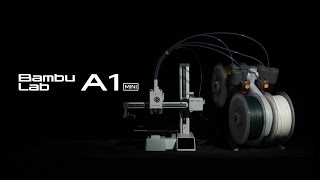 Bambu Lab A1 mini——A colorful gateway to 3D printing |
"And I never did get my lawnmower back!" - Bandit 6
"On the bright side, the money we saved by not going to Mars in the 1970s, we spent on welfare and public schools." - @MorlockP
"On the bright side, the money we saved by not going to Mars in the 1970s, we spent on welfare and public schools." - @MorlockP
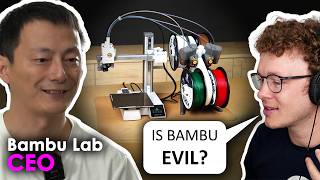 Bambu Lab's NEW A1 Mini and why they didn't release an X1 XL! |
|
That was a long interview (over one hour), and I almost never sit through a YouTube video of such a length, but I actually found it to be quite informative, thanks… |

Two guns, one bullet
| I have not reviewed that video yet, but for the size of the thing it appears to be about twice the price it should be. All the new features are nice but entry level means $100 Ender 3 to me... Nobody is putting out $500 for entry level toy. They need to have a $150 version with no AMS and single color, basically an Ender 3 that runs without screwing around. Then they could have a $500 version that makes sense with all these features, and a retrofit kit for the P1 series. |
"And I never did get my lawnmower back!" - Bandit 6
"On the bright side, the money we saved by not going to Mars in the 1970s, we spent on welfare and public schools." - @MorlockP
"On the bright side, the money we saved by not going to Mars in the 1970s, we spent on welfare and public schools." - @MorlockP

|
I watched the first half of the video, it's a little better at $250 without the AMS. But still pretty marginal with the smaller size over some 255^3 competitors. But it was good to hear the X1 XL is in the pipeline. In other news, I fired up my X1 for the first time in 3 months. Needed some measuring cups. Cleaned out the print shack of several old projects that never got assembled. I like printing things, but not the parts cleanup and the assembly. |
"And I never did get my lawnmower back!" - Bandit 6
"On the bright side, the money we saved by not going to Mars in the 1970s, we spent on welfare and public schools." - @MorlockP
"On the bright side, the money we saved by not going to Mars in the 1970s, we spent on welfare and public schools." - @MorlockP

| I've been considering buying a printer for several years but wasnt sure I'd get my money's worth out of it. In a moment of weakness I ordered a P1S with AMS last week and its supposed to be here Thursday. I'll mostly be printing stuff for my RC crawlers but I might end up selling some stuff for them locally. |
|
I'm still learning... All of my prints so far have been flawless, but I haven't gone wild with experimenting yet. Almost ran out of filament while doing a 5-hour-long print - another 5 minutes and the spool would have been empty. While I understand that if you have two identical spools (same material, same color) in the AMS, you can choose a setting to have it automatically switch spools when one of them runs out, that was not what I had in my system, rather I had just the starter PLA spools loaded. I haven't found a definitive answer to this - could I have clicked the pause button in Bambu Studio, then unload the currently-printing filament, load filament from a different slot, and then restart the print? Will it object because the model was sliced with a single filament defined? I suppose that I could run a test, as my spool with green filament is down to maybe five or six turns of filament on that spool. I also haven't yet figured out how to specify using a different filament for the supports vs. for the model. So much to figure out here - it will come in time, I guess. I've mainly been using defaults for the slicer - and so far have only been printing .3MF files rather than STLs that I've created myself. |
Two guns, one bullet
|
Originally Posted By targetworks: I haven't found a definitive answer to this - could I have clicked the pause button in Bambu Studio, then unload the currently-printing filament, load filament from a different slot, and then restart the print? Will it object because the model was sliced with a single filament defined? |
|
Originally Posted By bulldog1967: Bought a P1s at Microcenter. Good lord is it fast. |