


Armory Sponsor

Dash-cams and "Black Box" vehicle cams (Page 1 of 23)

Posted: 4/14/2013 10:56:11 PM EDT

-----BEGIN GEEK CODE BLOCK-----
Version: 3.1.2
GMD d-- a+ C++ L++ w M e++++
PS--- PE++ Y++ t+ R- !tv b++++ D---
h---- A++ r+++ y+ z++++ k++ F+++/F4
------END GEEK CODE BLOCK------
Version: 3.1.2
GMD d-- a+ C++ L++ w M e++++
PS--- PE++ Y++ t+ R- !tv b++++ D---
h---- A++ r+++ y+ z++++ k++ F+++/F4
------END GEEK CODE BLOCK------


-----BEGIN GEEK CODE BLOCK-----
Version: 3.1.2
GMD d-- a+ C++ L++ w M e++++
PS--- PE++ Y++ t+ R- !tv b++++ D---
h---- A++ r+++ y+ z++++ k++ F+++/F4
------END GEEK CODE BLOCK------
Version: 3.1.2
GMD d-- a+ C++ L++ w M e++++
PS--- PE++ Y++ t+ R- !tv b++++ D---
h---- A++ r+++ y+ z++++ k++ F+++/F4
------END GEEK CODE BLOCK------





-----BEGIN GEEK CODE BLOCK-----
Version: 3.1.2
GMD d-- a+ C++ L++ w M e++++
PS--- PE++ Y++ t+ R- !tv b++++ D---
h---- A++ r+++ y+ z++++ k++ F+++/F4
------END GEEK CODE BLOCK------
Version: 3.1.2
GMD d-- a+ C++ L++ w M e++++
PS--- PE++ Y++ t+ R- !tv b++++ D---
h---- A++ r+++ y+ z++++ k++ F+++/F4
------END GEEK CODE BLOCK------

|
I want to reinforce a point above: if you put your camera behind glass, you will greatly degrade your experience. You need to keep clean glass. Oncoming headlights will flare badly and every defect will be magnified. The sun will cause reflections off the dash. If you're far enough back from the glass, at night you might get reflections off your glasses (from dash lights) floating in the camera FOV.
A polarizing filter is a requirement. Spend the extra money to get a camera that supports this. Your mount is key. You need a solid mount, period. Mount to the glass if you can; you want no relative motion between the glass and the camera. Forget getting plates without a camera focused in that area. My practice is to read off the license plate when I see a car acting weird. This means my videos have me saying WASHINGTON 999 ALPHA BRAVO CHARLIE BLACK CAPRICE and the like a lot. Upside, I don't have to try anything crazy to get a plate. Mounting your camera up close to the glass (which you want) means, most of the time, you will not get good audio from the in-camera mic. You will get HVAC noise, the sounds anything that hits the glass, road rumble, antenna twang, etc. If you want to record in-car audio, do yourself a favor and use an external mic. You need a camera with some indicator that it's recording. I know your dash is covered with blinking LEDs, but you need an easy way to tell your system is up and running. You will want your camera mounted as high as you can, without getting into the shade on the glass. You should point it down enough to catch the front little bit of your car in the video. I've never said "man, I wish I had more footage of my hood", but I've frequently wished I could see down in front of the vehicle. This video, I was still learning lessons. Bad mount, wrong camera. 
Learn your tools. Before:
After:
Watch for ice.
I will be editing this post to put in the exact equipment I am talking about in a couple of weeks. I have a road trip coming up and I'm testing some stuff. |
http://blog.ryjones.org/
Come visit: http://boomershoot.org/2013/blast.htm I'm in spot 1, all the way east.
Come visit: http://boomershoot.org/2013/blast.htm I'm in spot 1, all the way east.
|
Excellent videos, Ry... I see what you mean about the crappy mount.
I also like your idea about reading off the license plates... but unfortunately, I turn the audio offf. I tend to sing/swear/rant/cuss to myself while I'm driving home from work (it's my decompression... gotta get it out of my system before I get home. Can't have the kids hearing their old man cursing a blue streak). Maybe I should work on that... And in that fourth video, I had a Beaky the Buzzard moment listening to you go "nope nope nope" as you were sliding on the ice 
|
-----BEGIN GEEK CODE BLOCK-----
Version: 3.1.2
GMD d-- a+ C++ L++ w M e++++
PS--- PE++ Y++ t+ R- !tv b++++ D---
h---- A++ r+++ y+ z++++ k++ F+++/F4
------END GEEK CODE BLOCK------
Version: 3.1.2
GMD d-- a+ C++ L++ w M e++++
PS--- PE++ Y++ t+ R- !tv b++++ D---
h---- A++ r+++ y+ z++++ k++ F+++/F4
------END GEEK CODE BLOCK------
|
You can hear me working the tiller to the stops to regain control. When I got past the rail on the left, I was looking out into a huge rock-strewn hillside thinking "if I'm going to crash out, I'm going to hit the rail on the uphill side, not sail into space on the downhill side" which came out as "nope nope nope nope".
Also, I didn't like the girly gasp, but there it is. I'll own being in the white and behind the vehicle for the first couple of frames, but I came out without any bent metal, just a bruised ego. I watch it to remind myself to be aware of conditions; I was ignoring them that day. I went back and forth on disabling audio; I now chose to capture the data and delete later. The first responders can laugh at my singing along to the radio and I'll live. I used a go pro for a while, but honestly, for this use it sucks. I bought some Eye Fi cards to try to have the cameras upload to a laptop in the car. This does not work. The write speed on the fastest eyefis is not fast enough to keep up. |
http://blog.ryjones.org/
Come visit: http://boomershoot.org/2013/blast.htm I'm in spot 1, all the way east.
Come visit: http://boomershoot.org/2013/blast.htm I'm in spot 1, all the way east.
|
Originally Posted By RyJones:
You can hear me working the tiller to the stops to regain control. When I got past the rail on the left, I was looking out into a huge rock-strewn hillside thinking "if I'm going to crash out, I'm going to hit the rail on the uphill side, not sail into space on the downhill side" which came out as "nope nope nope nope". Also, I didn't like the girly gasp, but there it is. I'll own being in the white and behind the vehicle for the first couple of frames, but I came out without any bent metal, just a bruised ego. I watch it to remind myself to be aware of conditions; I was ignoring them that day. I went back and forth on disabling audio; I now chose to capture the data and delete later. The first responders can laugh at my singing along to the radio and I'll live. I used a go pro for a while, but honestly, for this use it sucks. I bought some Eye Fi cards to try to have the cameras upload to a laptop in the car. This does not work. The write speed on the fastest eyefis is not fast enough to keep up.  It's cool... no sweat. It's cool... no sweat.
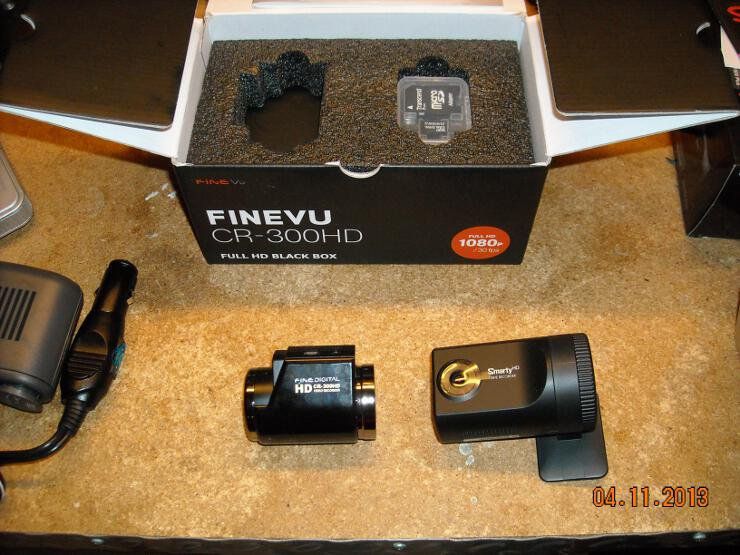
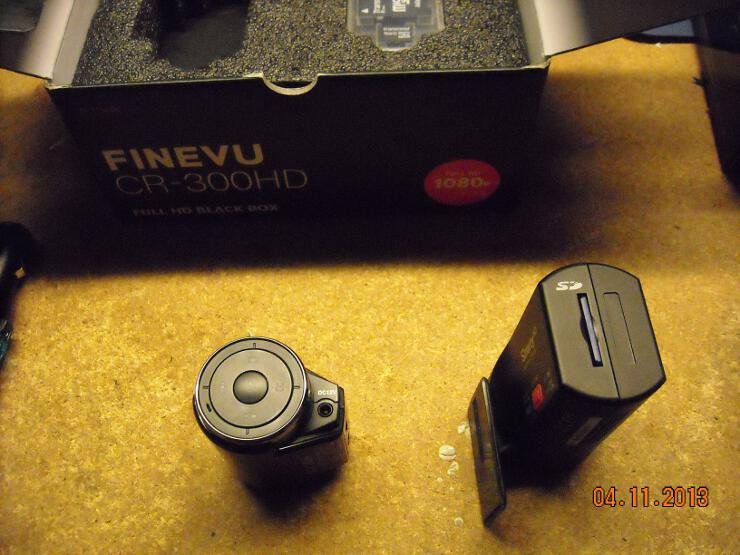
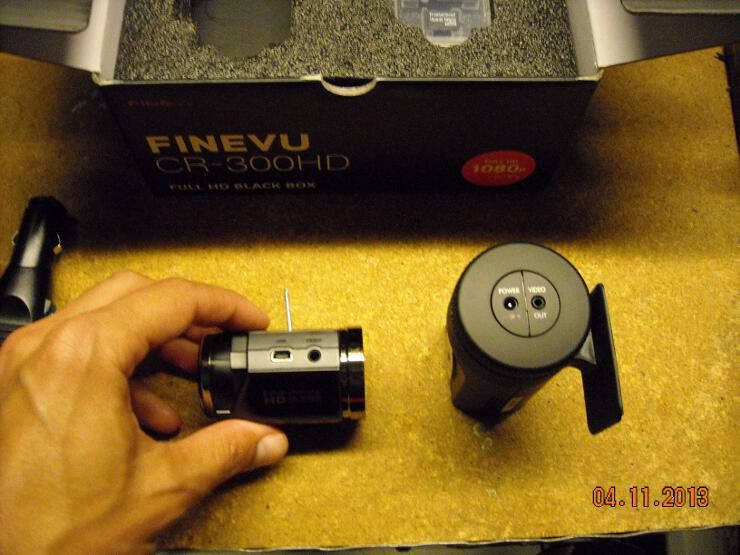
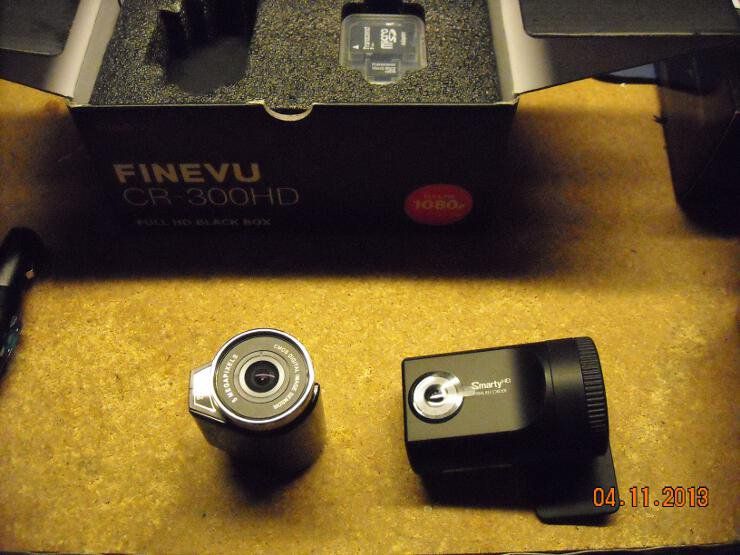
BTW, which model camera is that you're using? I'm probably going to make the FineVu my full-time front camera, and move the Smarty to the rear glass. |
-----BEGIN GEEK CODE BLOCK-----
Version: 3.1.2
GMD d-- a+ C++ L++ w M e++++
PS--- PE++ Y++ t+ R- !tv b++++ D---
h---- A++ r+++ y+ z++++ k++ F+++/F4
------END GEEK CODE BLOCK------
Version: 3.1.2
GMD d-- a+ C++ L++ w M e++++
PS--- PE++ Y++ t+ R- !tv b++++ D---
h---- A++ r+++ y+ z++++ k++ F+++/F4
------END GEEK CODE BLOCK------

|
Originally Posted By jaqufrost:
Thanks guys, I want to add some cameras to my vehicles. I'd recommend it; it's cheap insurance. |
-----BEGIN GEEK CODE BLOCK-----
Version: 3.1.2
GMD d-- a+ C++ L++ w M e++++
PS--- PE++ Y++ t+ R- !tv b++++ D---
h---- A++ r+++ y+ z++++ k++ F+++/F4
------END GEEK CODE BLOCK------
Version: 3.1.2
GMD d-- a+ C++ L++ w M e++++
PS--- PE++ Y++ t+ R- !tv b++++ D---
h---- A++ r+++ y+ z++++ k++ F+++/F4
------END GEEK CODE BLOCK------

|
Originally Posted By RyJones:
Originally Posted By TheGrayMan:
BTW, which model camera is that you're using? I'm being cagey because I'm replacing it. 
Are you hoping to sell it on here or something? |
-----BEGIN GEEK CODE BLOCK-----
Version: 3.1.2
GMD d-- a+ C++ L++ w M e++++
PS--- PE++ Y++ t+ R- !tv b++++ D---
h---- A++ r+++ y+ z++++ k++ F+++/F4
------END GEEK CODE BLOCK------
Version: 3.1.2
GMD d-- a+ C++ L++ w M e++++
PS--- PE++ Y++ t+ R- !tv b++++ D---
h---- A++ r+++ y+ z++++ k++ F+++/F4
------END GEEK CODE BLOCK------
|
Originally Posted By TheGrayMan:
Originally Posted By RyJones:
Originally Posted By TheGrayMan:
BTW, which model camera is that you're using? I'm being cagey because I'm replacing it.
Are you hoping to sell it on here or something? Haha, no, it's destroyed. Pointed into the sun and burned out. |
http://blog.ryjones.org/
Come visit: http://boomershoot.org/2013/blast.htm I'm in spot 1, all the way east.
Come visit: http://boomershoot.org/2013/blast.htm I'm in spot 1, all the way east.

|
Originally Posted By RyJones:
Originally Posted By TheGrayMan:
BTW, which model camera is that you're using? I'm being cagey because I'm replacing it. If you haven't decided on a your next camera, look at the BlackVue HD series. I have the DR400g-HD (I think?) which works well. I like the GPS speed monitoring and stationary motion sensor. There is an updated "gen 2" version of mine, and now there is also a whole new line from them and it has WiFi so you can access the video on your phone or have it dump the video when you come home. I got mine about a year ago for around $200 shipped. Here is the BEST source of info that I've found: http://forums.redflagdeals.com/merged-official-blackvue-dr400g-hd-owners-thread-1147913/ (It's some Canadian forum but they have an asinine amount of info on the camera) Amazon link: http://www.amazon.com/s/ref=nb_sb_noss?url=search-alias%3Daps&field-keywords=blackvue |
|
Originally Posted By Burtonrider10022:
Originally Posted By RyJones:
Originally Posted By TheGrayMan:
BTW, which model camera is that you're using? I'm being cagey because I'm replacing it. If you haven't decided on a your next camera, look at the BlackVue HD series. I have the DR400g-HD (I think?) which works well. I like the GPS speed monitoring and stationary motion sensor. There is an updated "gen 2" version of mine, and now there is also a whole new line from them and it has WiFi so you can access the video on your phone or have it dump the video when you come home. I got mine about a year ago for around $200 shipped. Here is the BEST source of info that I've found: http://forums.redflagdeals.com/merged-official-blackvue-dr400g-hd-owners-thread-1147913/ (It's some Canadian forum but they have an asinine amount of info on the camera) Amazon link: http://www.amazon.com/s/ref=nb_sb_noss?url=search-alias%3Daps&field-keywords=blackvue If you have some video from yours, post it up! ETA: never mind... bought one myself. I'll have some comparison shots up as soon as I've had a chance to play with it. |
-----BEGIN GEEK CODE BLOCK-----
Version: 3.1.2
GMD d-- a+ C++ L++ w M e++++
PS--- PE++ Y++ t+ R- !tv b++++ D---
h---- A++ r+++ y+ z++++ k++ F+++/F4
------END GEEK CODE BLOCK------
Version: 3.1.2
GMD d-- a+ C++ L++ w M e++++
PS--- PE++ Y++ t+ R- !tv b++++ D---
h---- A++ r+++ y+ z++++ k++ F+++/F4
------END GEEK CODE BLOCK------
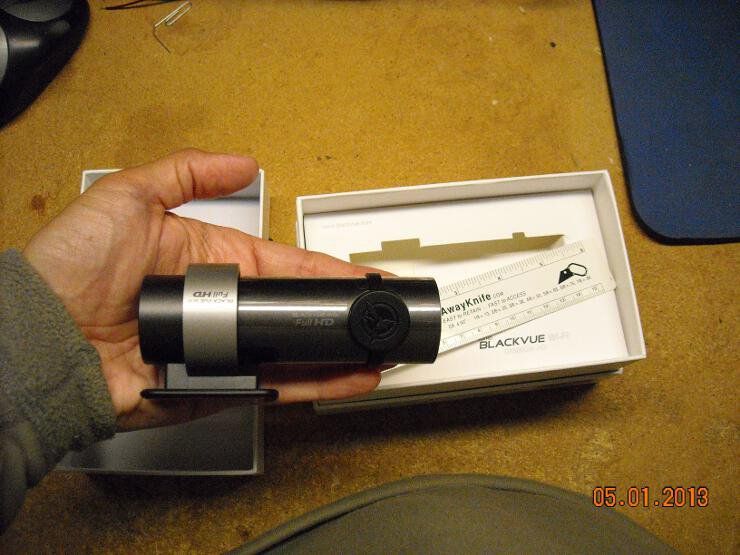
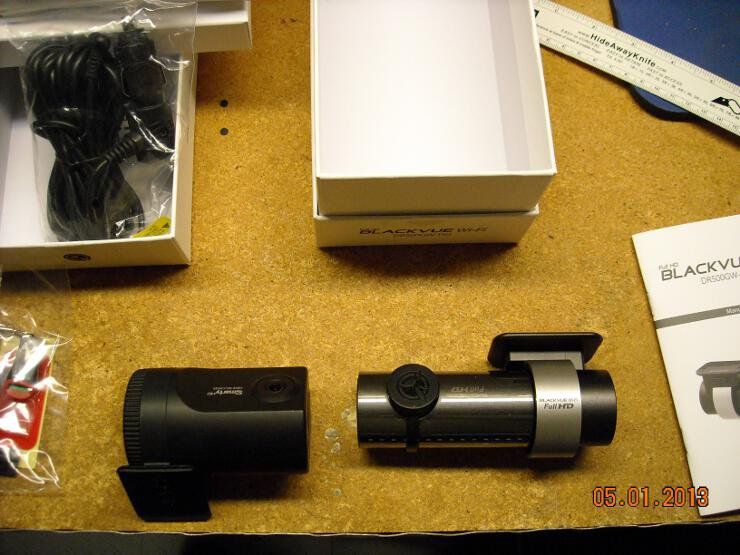
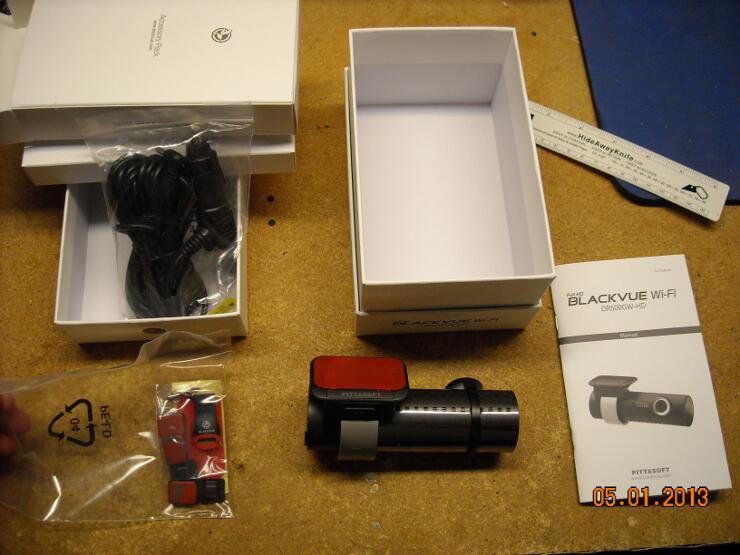

-----BEGIN GEEK CODE BLOCK-----
Version: 3.1.2
GMD d-- a+ C++ L++ w M e++++
PS--- PE++ Y++ t+ R- !tv b++++ D---
h---- A++ r+++ y+ z++++ k++ F+++/F4
------END GEEK CODE BLOCK------
Version: 3.1.2
GMD d-- a+ C++ L++ w M e++++
PS--- PE++ Y++ t+ R- !tv b++++ D---
h---- A++ r+++ y+ z++++ k++ F+++/F4
------END GEEK CODE BLOCK------
 )
)
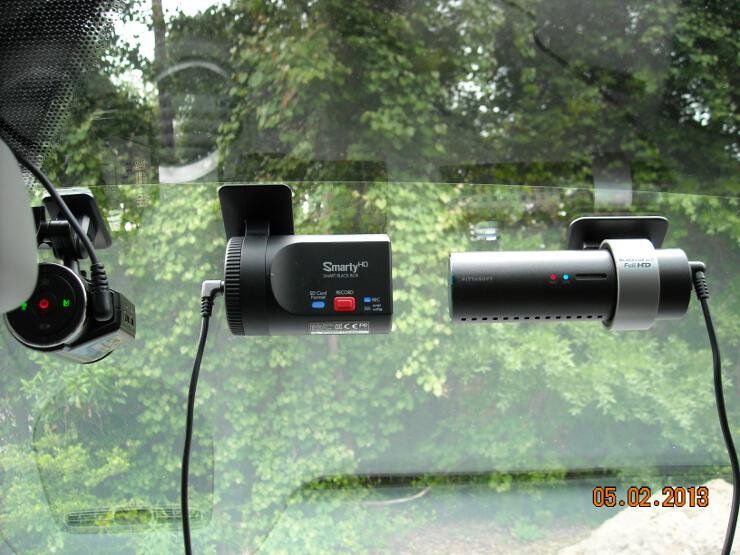
-----BEGIN GEEK CODE BLOCK-----
Version: 3.1.2
GMD d-- a+ C++ L++ w M e++++
PS--- PE++ Y++ t+ R- !tv b++++ D---
h---- A++ r+++ y+ z++++ k++ F+++/F4
------END GEEK CODE BLOCK------
Version: 3.1.2
GMD d-- a+ C++ L++ w M e++++
PS--- PE++ Y++ t+ R- !tv b++++ D---
h---- A++ r+++ y+ z++++ k++ F+++/F4
------END GEEK CODE BLOCK------
|
Originally Posted By RyJones:
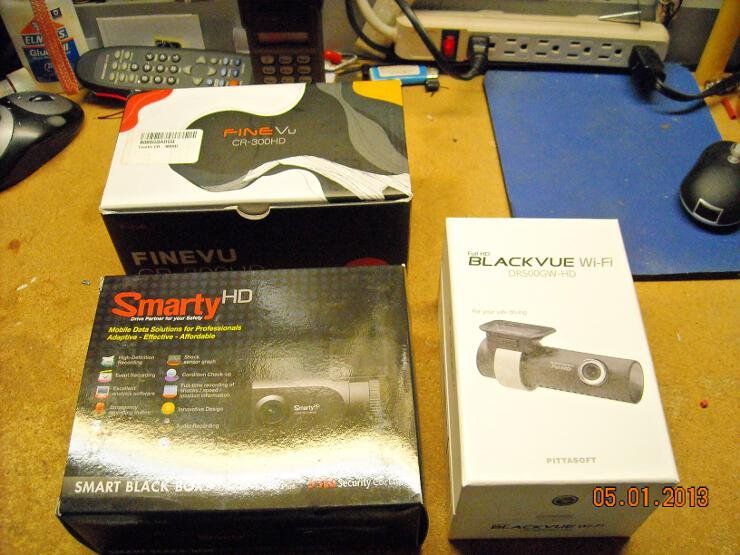
Just bought the smarty and blackvue; getting my windshield replaced Monday morning. Videos thereafter  I was doing that so you wouldn't have to.
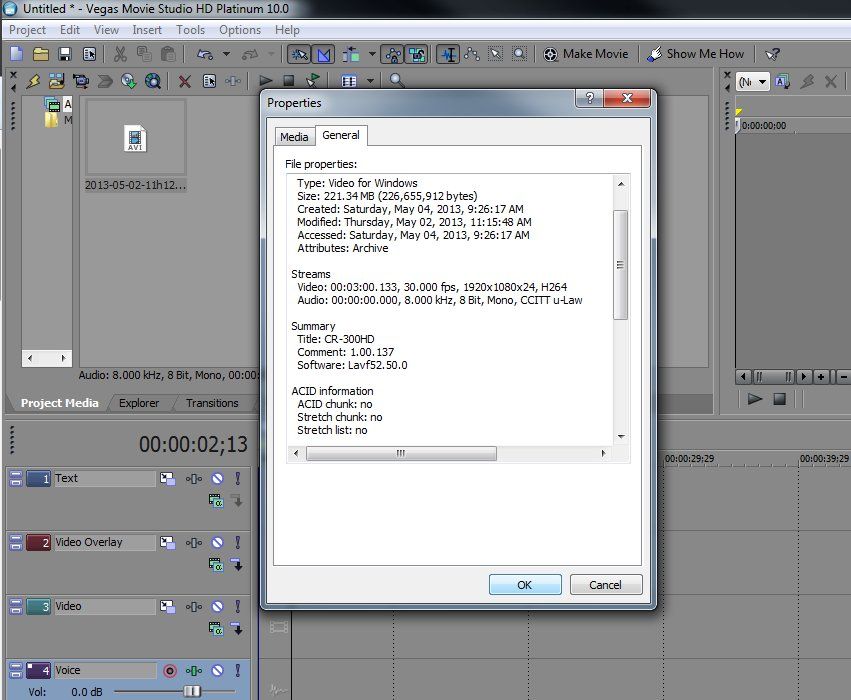
I'm going to attempt to re-encode that video I posted... that conversion really came out looking like sh*t. ETA: the FineVue gives you an AVI container file, but with a H.264 codec... trying to find a plug-in for Vegas |
-----BEGIN GEEK CODE BLOCK-----
Version: 3.1.2
GMD d-- a+ C++ L++ w M e++++
PS--- PE++ Y++ t+ R- !tv b++++ D---
h---- A++ r+++ y+ z++++ k++ F+++/F4
------END GEEK CODE BLOCK------
Version: 3.1.2
GMD d-- a+ C++ L++ w M e++++
PS--- PE++ Y++ t+ R- !tv b++++ D---
h---- A++ r+++ y+ z++++ k++ F+++/F4
------END GEEK CODE BLOCK------



-----BEGIN GEEK CODE BLOCK-----
Version: 3.1.2
GMD d-- a+ C++ L++ w M e++++
PS--- PE++ Y++ t+ R- !tv b++++ D---
h---- A++ r+++ y+ z++++ k++ F+++/F4
------END GEEK CODE BLOCK------
Version: 3.1.2
GMD d-- a+ C++ L++ w M e++++
PS--- PE++ Y++ t+ R- !tv b++++ D---
h---- A++ r+++ y+ z++++ k++ F+++/F4
------END GEEK CODE BLOCK------
|
Please shoot a short video (like, 30 seconds) of something static (garage door or whatever) and make it available to me on Dropbox.
Disable the GPS, obviously. |
http://blog.ryjones.org/
Come visit: http://boomershoot.org/2014/blast.htm I'm in spot 1, all the way east.
Come visit: http://boomershoot.org/2014/blast.htm I'm in spot 1, all the way east.
|
Originally Posted By RyJones:
Please shoot a short video (like, 30 seconds) of something static (garage door or whatever) and make it available to me on Dropbox. Disable the GPS, obviously. Let me see if I can get something innocuous uploaded, and I'll PM you a link. |
-----BEGIN GEEK CODE BLOCK-----
Version: 3.1.2
GMD d-- a+ C++ L++ w M e++++
PS--- PE++ Y++ t+ R- !tv b++++ D---
h---- A++ r+++ y+ z++++ k++ F+++/F4
------END GEEK CODE BLOCK------
Version: 3.1.2
GMD d-- a+ C++ L++ w M e++++
PS--- PE++ Y++ t+ R- !tv b++++ D---
h---- A++ r+++ y+ z++++ k++ F+++/F4
------END GEEK CODE BLOCK------
|
Originally Posted By TheGrayMan:
Originally Posted By RyJones:
Please shoot a short video (like, 30 seconds) of something static (garage door or whatever) and make it available to me on Dropbox. Disable the GPS, obviously. Let me see if I can get something innocuous uploaded, and I'll PM you a link. What a video - I'm putting that on a loop! Anyway, I was unable to open it with anything I have except VLC, which opened it on Mac and Windows no problem. Since there was no audio track, I don't know if that would have worked, but I transcoded it to mp4 no problem. The transcoded video opens in all of my tools. I agree, any video you have to dink around with isn't worth it. Not sure why VLC can handle it when nothing else can. PM with link to transcoded video (using default settings) for your examination. |
http://blog.ryjones.org/
Come visit: http://boomershoot.org/2014/blast.htm I'm in spot 1, all the way east.
Come visit: http://boomershoot.org/2014/blast.htm I'm in spot 1, all the way east.

-----BEGIN GEEK CODE BLOCK-----
Version: 3.1.2
GMD d-- a+ C++ L++ w M e++++
PS--- PE++ Y++ t+ R- !tv b++++ D---
h---- A++ r+++ y+ z++++ k++ F+++/F4
------END GEEK CODE BLOCK------
Version: 3.1.2
GMD d-- a+ C++ L++ w M e++++
PS--- PE++ Y++ t+ R- !tv b++++ D---
h---- A++ r+++ y+ z++++ k++ F+++/F4
------END GEEK CODE BLOCK------
|
I was going to edit my other post, but... c'est la vie. I have another tool that I use, which sadly is windows only, that can slice and dice this video no problem. Womble's DVD Editor (free trial) can open the file and edit it without chicanery. I have a good hunch what's wrong with this file, but I want to nail this down.
ETA: AVIDemux lets you clip sections out and does STREAM COPIES, which is the holy grail. You're welcome. |
http://blog.ryjones.org/
Come visit: http://boomershoot.org/2014/blast.htm I'm in spot 1, all the way east.
Come visit: http://boomershoot.org/2014/blast.htm I'm in spot 1, all the way east.
|
Originally Posted By RyJones:
I was going to edit my other post, but... c'est la vie. I have another tool that I use, which sadly is windows only, that can slice and dice this video no problem. Womble's DVD Editor (free trial) can open the file and edit it without chicanery. I have a good hunch what's wrong with this file, but I want to nail this down. ETA: AVIDemux lets you clip sections out and does STREAM COPIES, which is the holy grail. You're welcome. Huh... I tried AVIDemux before I posted my lament.. it didn't work. Back to play with it some more. |
-----BEGIN GEEK CODE BLOCK-----
Version: 3.1.2
GMD d-- a+ C++ L++ w M e++++
PS--- PE++ Y++ t+ R- !tv b++++ D---
h---- A++ r+++ y+ z++++ k++ F+++/F4
------END GEEK CODE BLOCK------
Version: 3.1.2
GMD d-- a+ C++ L++ w M e++++
PS--- PE++ Y++ t+ R- !tv b++++ D---
h---- A++ r+++ y+ z++++ k++ F+++/F4
------END GEEK CODE BLOCK------
 It also has a video-brightness problem that has been documented on some of their forums (and you can see at the end of this video). Note how the video suddenly brightens up? And the lighting conditions outside (bright sunlight) didn't change? It's a known glitch, and I don't know if they have a fix out there for it yet. It's also the largest of these cameras, and not very low-profile. I could also do without the multitude of LEDs.

-----BEGIN GEEK CODE BLOCK-----
Version: 3.1.2
GMD d-- a+ C++ L++ w M e++++
PS--- PE++ Y++ t+ R- !tv b++++ D---
h---- A++ r+++ y+ z++++ k++ F+++/F4
------END GEEK CODE BLOCK------
Version: 3.1.2
GMD d-- a+ C++ L++ w M e++++
PS--- PE++ Y++ t+ R- !tv b++++ D---
h---- A++ r+++ y+ z++++ k++ F+++/F4
------END GEEK CODE BLOCK------
|
Are we using the same BlackVue software?
Android: File listing: 
Blackvue dashcam by Ry Jones, on Flickr Playback: 
Blackvue dashcam by Ry Jones, on Flickr iOS: File listing: 
Blackvue iOS ui by Ry Jones, on Flickr Playback: 
Blackvue iOS ui by Ry Jones, on Flickr Live view: 
Blackvue iOS ui by Ry Jones, on Flickr |
http://blog.ryjones.org/
Come visit: http://boomershoot.org/2014/blast.htm I'm in spot 1, all the way east.
Come visit: http://boomershoot.org/2014/blast.htm I'm in spot 1, all the way east.
|
Originally Posted By RyJones:
Are we using the same BlackVue software? Android: File listing: <a href="http://www.flickr.com/photos/ryjones/8725542556/" target="_blank">http://farm8.staticflickr.com/7414/8725542556_0cea7bbf83.jpg</a> Blackvue dashcam by Ry Jones, on Flickr Playback: <a href="http://www.flickr.com/photos/ryjones/8725542786/" target="_blank">http://farm8.staticflickr.com/7347/8725542786_dd2d4c43fb.jpg</a> Blackvue dashcam by Ry Jones, on Flickr iOS: File listing: <a href="http://www.flickr.com/photos/ryjones/8724431445/" target="_blank">http://farm8.staticflickr.com/7394/8724431445_eef1204416.jpg</a> Blackvue iOS ui by Ry Jones, on Flickr Playback: <a href="http://www.flickr.com/photos/ryjones/8724431545/" target="_blank">http://farm8.staticflickr.com/7368/8724431545_93c1e613d0.jpg</a> Blackvue iOS ui by Ry Jones, on Flickr Live view: <a href="http://www.flickr.com/photos/ryjones/8725551426/" target="_blank">http://farm8.staticflickr.com/7419/8725551426_9ffc8ec658.jpg</a> Blackvue iOS ui by Ry Jones, on Flickr Yes.... same software. So far, I haven't tried it under iOS... just Android (4.1.2). Live video worked, but playback would not function. I got as far as the file list (denoted in your picture), but none of the files would actually play back. I did manage to change the camera settings with the wifi client. ETA: playback does work well under iOS. |
-----BEGIN GEEK CODE BLOCK-----
Version: 3.1.2
GMD d-- a+ C++ L++ w M e++++
PS--- PE++ Y++ t+ R- !tv b++++ D---
h---- A++ r+++ y+ z++++ k++ F+++/F4
------END GEEK CODE BLOCK------
Version: 3.1.2
GMD d-- a+ C++ L++ w M e++++
PS--- PE++ Y++ t+ R- !tv b++++ D---
h---- A++ r+++ y+ z++++ k++ F+++/F4
------END GEEK CODE BLOCK------
|
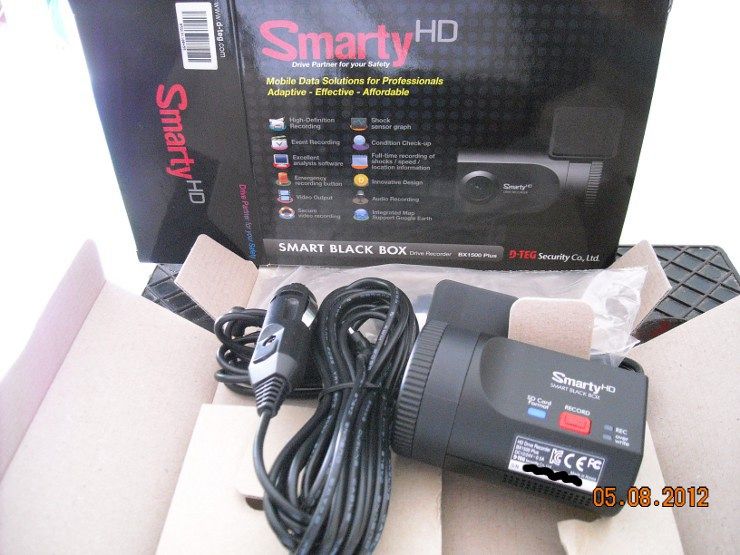
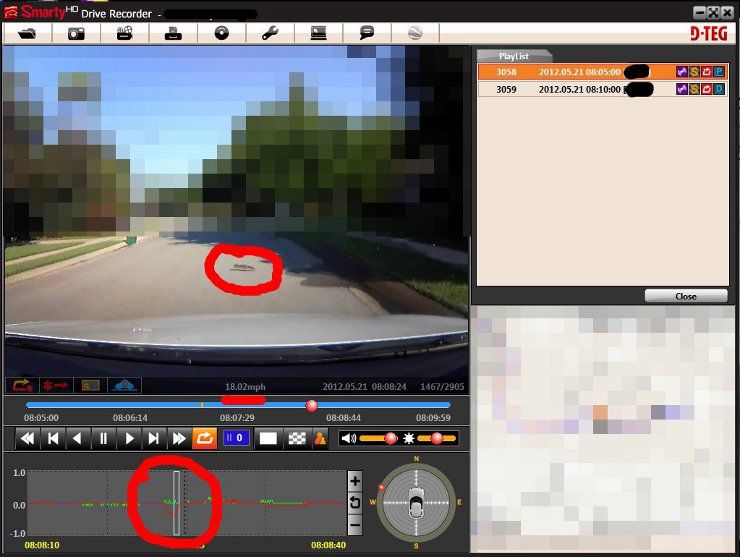
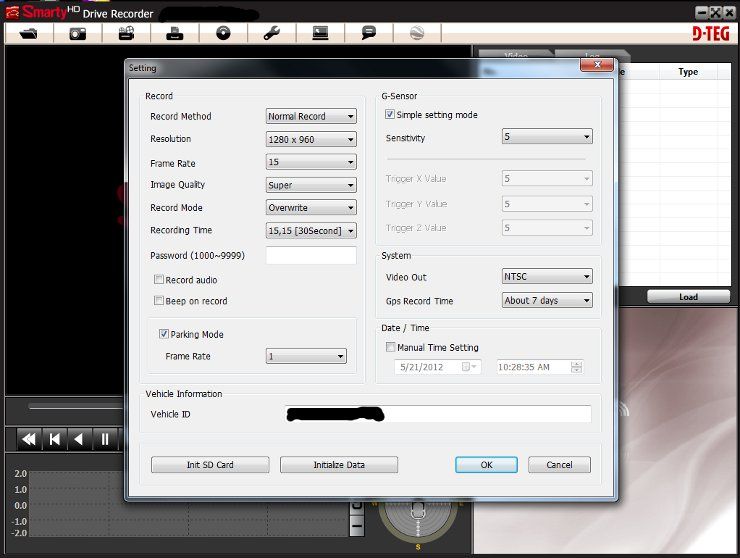
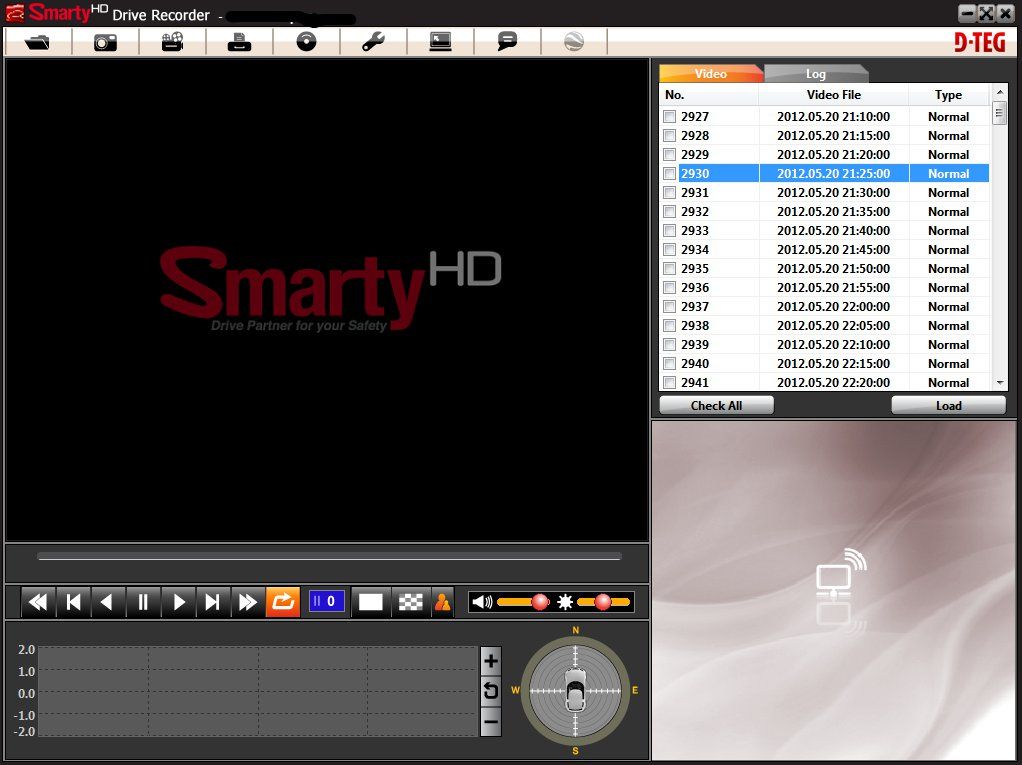
So, I've lived with the Smarty and the BlackVue for a week now, and I have to say I would not re-buy the Smarty. The BlackVue is only a little more money and works so much better.
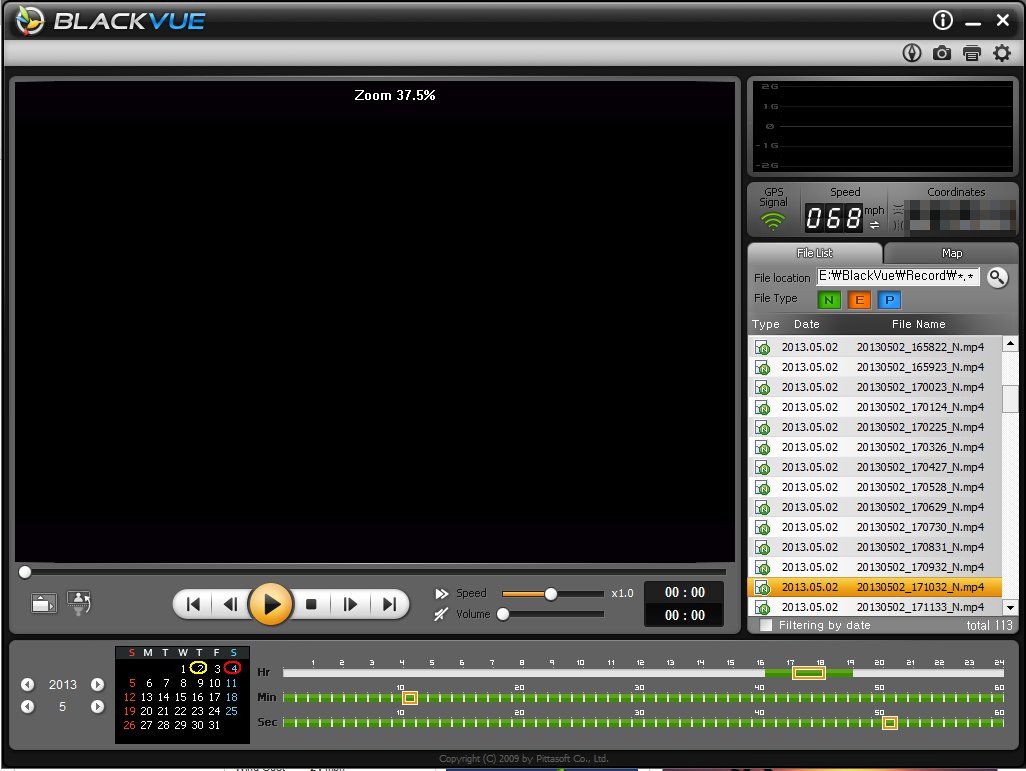
That said, the audio on the BlackVue is useless. It's 100% road noise. The default video compression, "high", is TerriBad. Dink with the UI a little for much better results. Why wouldn't I buy a Smarty? You have to export video files from the UI, and the UI sucks and is slow. The export is about 2:1 (2 minutes export per minute of video) on my machine. In fact, the UIs for both cameras suck. The quality of the data GPS data seems lower - my guess is the GPS takes longer to get a fix, and once it's locked on, I'm constantly a block or so off. When I'm on the interstate, it shows me plowing through neighborhoods. The BlackVue spits the raw NMEA sentences onto the SD card, which is nice. I like that you can push a button and pop the BV out easily. I wish both of these had USB plugs so I could just pop the camera out and plug it into my laptop instead of dicking with MicroSD cards. I will buy another couple BVs to use in my other vehicle (one forward, one back). If you want to dim the REALLY BRIGHT LEDs, take a black sharpie, color them over, then wipe the ink off with your thumb. It knocks a lot of the shine off these BLUE LEDS OF EYE BURNING |
http://blog.ryjones.org/
Come visit: http://boomershoot.org/2014/blast.htm I'm in spot 1, all the way east.
Come visit: http://boomershoot.org/2014/blast.htm I'm in spot 1, all the way east.
|
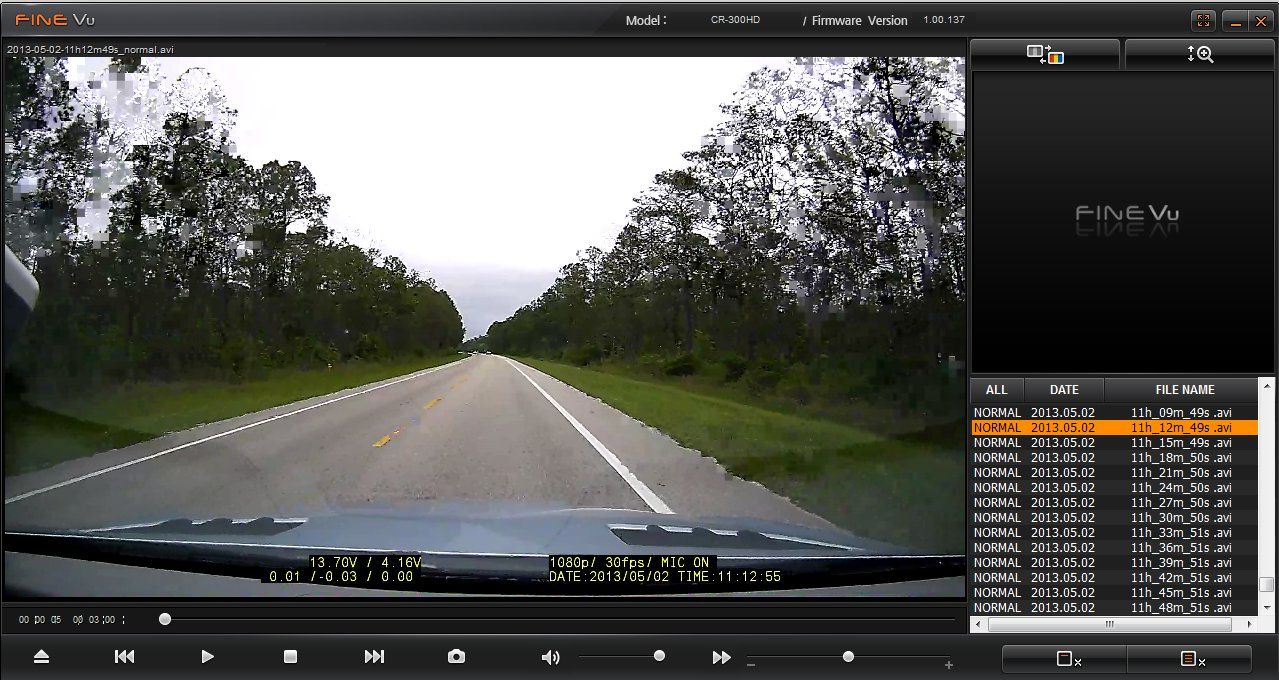
I thought the Smarty had the best UI out of the three. The finevue doesn't even offer an export function... you have to remember the filename, go into the device as an external drive, find that specific file, and copy/paste it.
What a PITA. |
-----BEGIN GEEK CODE BLOCK-----
Version: 3.1.2
GMD d-- a+ C++ L++ w M e++++
PS--- PE++ Y++ t+ R- !tv b++++ D---
h---- A++ r+++ y+ z++++ k++ F+++/F4
------END GEEK CODE BLOCK------
Version: 3.1.2
GMD d-- a+ C++ L++ w M e++++
PS--- PE++ Y++ t+ R- !tv b++++ D---
h---- A++ r+++ y+ z++++ k++ F+++/F4
------END GEEK CODE BLOCK------
|
One feature - I'm not sure to call it that - is that the BlackVue starts the new recording a few seconds before it ends the old one. That means, if you want to stick a bunch of files together, you have to trim a little bit off the front (or end) of each one. Ugh. It isn't a constant time, either, sometimes it's three seconds sometimes as much as ten.
Here's a bunch of files I glued together in iMovie. I haven't decided to keep this vehicle yet, so I haven't added brush lights. You'll mostly marvel at the lack of low-light performance of the BlackVue.
|
http://blog.ryjones.org/
Come visit: http://boomershoot.org/2014/blast.htm I'm in spot 1, all the way east.
Come visit: http://boomershoot.org/2014/blast.htm I'm in spot 1, all the way east.
|
Have you looked at any of the high end head/helmet cams like the Contour+ 2? It has several other mounting options
This model in particular would be good to mount outside the vehicle due to the semi ruggedized design and the availability of a completely waterproof case for underwater work. I believe the resolution is higher than either model you have reviewed. The question I have about it is does it record any better quality of video (reading license plates, low light conditions, etc)? |
|
This is why you should have a "dashcam" facing backwards:
This guy was worried about making weight, so he was trying to pick up marbles.
This guy needed a better spot.
|
http://blog.ryjones.org/
Come visit: http://boomershoot.org/2014/blast.htm I'm in spot 1, all the way east.
Come visit: http://boomershoot.org/2014/blast.htm I'm in spot 1, all the way east.

|
Originally Posted By RyJones:
This is why you should have a "dashcam" facing backwards: This guy was worried about making weight, so he was trying to pick up marbles.  http://www.youtube.com/watch?v=CCT0qMVJa5M http://www.youtube.com/watch?v=CCT0qMVJa5M
This guy needed a better spot. http://www.youtube.com/watch?v=-MeYAt21ewcThis is right up my alley. I've been wanting to add a rear-facing camera to watch/record trailer loads (both flat bed and enclosed trailers), and also to help in reverse and load/unload situations. I already have a camera in the tailgate of the F350, but it's only good for backing and connecting trailers (which it does a damn good job with, btw), and unless I dork around with a bunch of wiring it's not any good with the vehicle in motion. Is there anything that plays well with an iPad serving as a monitor? I do have the in-dash Ford nav, and a couple of open upfitter switches, so going the Lockpick route and routing the display through the nav is always an option if that's easier. I've wanted to do this for awhile, but didn't know even where to look to ask questions.
|
Originally Posted By mikenmaryland:
this coming from someone with bush in the avatar..lol
this coming from someone with bush in the avatar..lol
|
I think all of the cameras listed have video out. There are lots of instructions on how to hook up a relay to the reverse lights so when you switch into reverse, the video feed from the rear camera pops up on a display.
The blackvue camera has a live view option for android. I've discovered that the rear view camera seems to get overwhelmed by the bed of my pickup - it doesn't seem to adjust exposure correctly, as the shadow inside the pickup causes it to increase gain and white everything out. Neither of my cameras work for license plates. |
http://blog.ryjones.org/
Come visit: http://boomershoot.org/2014/blast.htm I'm in spot 1, all the way east.
Come visit: http://boomershoot.org/2014/blast.htm I'm in spot 1, all the way east.


|
Hi guys,
Late to the party on this but I don't make it out of the SF very often. I've been geeking out on dash cams the last month or so and I have a couple (with more on the way). I have a DVR-207 (about $50) that is very disappointing due to erratic exposure control. Then I got a G1W, which is true 1080p, H.264. I'm blown away by my G1W though. Bought it for $52 from estore009 on eBay and have been very impressed. Here is some footage I compiled from different environments. I'm a novice at video editing/encoding. I pulled the camera's .mov files into iMovie, finalized the project at 1080p, exported as .mov and uploaded to Youtube (who re-encodes it, I believe). So there is definite generation loss on what you'll see. License plates are very clear during the day and even at night - see 1:48, you can pretty much make out the tag on the white SUV as I passed him at night on the interstate. Note the police cruiser at 1:00 -- on the original video you can freeze it and get the agency name and see the Caution K9 decals on the back window. Or the guy carving bears with a chainsaw at 1:20. Or the "FARWOOD 4 SALE" sign right after that. Battery life is bad -- just enough to detach and shoot "after the wreck" footage. But that's about the only negative and I couldn't be happier for the money spent. Just thought I'd share. 1080p Youtube link of my G1W Footage  Uploaded with ImageShack.com Uploaded with ImageShack.com
 Uploaded with ImageShack.com Uploaded with ImageShack.com
 Uploaded with ImageShack.com Uploaded with ImageShack.com
|


|
Originally Posted By BCV:
Anyone have any experience with the LUKAS LK-7900 ACE. I picked one up but have yet to have it installed. I am more curious about the Motion Sensor or Parking recording. I was actually just coming to ask about this exact model. Let us know how you make out. Where did you get yours? Posted Via AR15.Com Mobile |
|
Originally Posted By BCV:
Anyone have any experience with the LUKAS LK-7900 ACE. I picked one up but have yet to have it installed. I am more curious about the Motion Sensor or Parking recording. Please post your experience with some screenshots once you have it installed.
|
"No. No, man. Sh*t no, man! I believe you could get your ass kicked for saying something like that, man."
|
Just saw that Garmin is coming out with a dash cam.
Garmin Dash Cam 20 Thought you guys might be interested. |
|
Originally Posted By dfk70:
Just saw that Garmin is coming out with a dash cam. Garmin Dash Cam 20 Thought you guys might be interested. need more information on the features. Does it have a motion sensor or parking mode for instance? |
American by birth, Texan by the Grace of God.
|
Originally Posted By BCV:
need more information on the features. Does it have a motion sensor or parking mode for instance? Originally Posted By BCV:
Originally Posted By dfk70:
Just saw that Garmin is coming out with a dash cam. Garmin Dash Cam 20 Thought you guys might be interested. need more information on the features. Does it have a motion sensor or parking mode for instance? The web site says as long as it has power it is recording, so I would imagine that if you leave it powered, it would record while the car is parked. Any update on the LK-7900? |
|
Gah! I Came here to ask about the Garmin and someone beat me. For $249.99 it better comes with some great features...
Garmin |
|
Originally Posted By dfk70:
The web site says as long as it has power it is recording, so I would imagine that if you leave it powered, it would record while the car is parked. Any update on the LK-7900? Originally Posted By dfk70:
Originally Posted By BCV:
Originally Posted By dfk70:
Just saw that Garmin is coming out with a dash cam. Garmin Dash Cam 20 Thought you guys might be interested. need more information on the features. Does it have a motion sensor or parking mode for instance? The web site says as long as it has power it is recording, so I would imagine that if you leave it powered, it would record while the car is parked. Any update on the LK-7900? Have yet to install it! On the list of things to do this weekend. |
American by birth, Texan by the Grace of God.
|
Originally Posted By rosseubanks666:
Anyone find video/specs on the Garman 20? Lens angle? Sample video of 1080p? Found some sample video but it looked horrible, didn't seem credible. Still not much on Garmin's website, but they are slowly adding content. They have more images of the unit now, a few FAQ's, and are showing some accessories. I have high hopes for this unit, as I'm anxious to get my first dash cam and Garmin is a brand I trust. I'm not saying the other manufacturers out there are not reputable, I've just never heard of or dealt with them before. As far as firmware and software updates, I have confidence that Garmin will continue to support their products. |
Dash-cams and "Black Box" vehicle cams (Page 1 of 23)
Armory Sponsor