


Posted: 9/24/2014 12:37:14 AM EDT
|
So we bought our kids an Alienware X51R2 (Yes I know we overpaid for what it is) and they want us to upgrade the Graphics card from a GTX 745 which is a surprisingly weak card to the AMD R9 270X which Dell endorses and sells in the higher priced units.
At the direction of Dell's tech team we purchased the R9 270X Graphics card and 330 watt PSU from Dell's website and they said it is a direct plug in. My question is after I plug the new card in do I need to also install drivers? if so, where do I get them and how do I do this? Thanks for the advice I really have no clue what I'm doing but I can take direction well 
|
|
Quoted: So we bought our kids an Alienware X51R2 (Yes I know we overpaid for what it is) and they want us to upgrade the Graphics card from a GTX 745 which is a surprisingly weak card to the AMD R9 270X which Dell endorses and sells in the higher priced units. At the direction of Dell's tech team we purchased the R9 270X Graphics card and 330 watt PSU from Dell's website and they said it is a direct plug in. My question is after I plug the new card in do I need to also install drivers? if so, where do I get them and how do I do this? Thanks for the advice I really have no clue what I'm doing but I can take direction well UH ya, you are going from Nvidia green to ATI RED with that changeout, powersupply sounds too weak to me, I build custom computers as a hobby, and used to for a living. Power Supply is like gas for your car, cheap watery gas equals blown engine. I would go with something 500 to 600 watts, like a Corsair or something, make sure you have the correct cables to match your card. Some cards take 1 or 2 6pin or 8 pin connectors. the 270 is a weak card also btw. Frankly I would just get the new Nvidia 970, no driver change needed, maybe an update. Otherwise a fresh windows install is the way to go when you change from NVidia drivers to ATI drivers. Heh I am old school and call AMD ATI still!!! You will have weird issues you cannot chase down SOMETIMES, if you don't. Otherwise remove old drivers. reboot, run DRIVERCLEAN and reboot then reinstall your Amd/ATI drivers. Go to AMDs website and get drivers there. Personally I always do a fresh Windows install when doing a brand change. A little something I run from about 3 years ago. Still whupping ass. 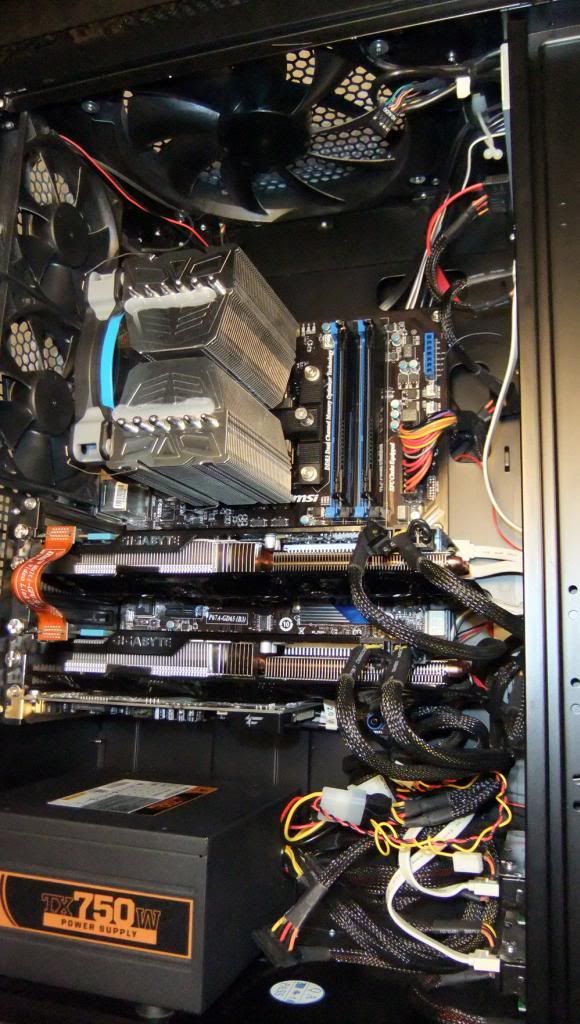 " /> " /> |
|
Quoted:
UH ya, you are going from Nvidia green to ATI RED with that changeout, powersupply sounds too weak to me, I build custom computers as a hobby, and used to for a living. this model has an external power supply, he isn't installing shit. OP: you can get the drivers from dell.com, or download them directly from ATI. link here. |
|
Quoted:
this model has an external power supply, he isn't installing shit. OP: you can get the drivers from dell.com, or download them directly from ATI. link here. Quoted:
Quoted:
UH ya, you are going from Nvidia green to ATI RED with that changeout, powersupply sounds too weak to me, I build custom computers as a hobby, and used to for a living. this model has an external power supply, he isn't installing shit. OP: you can get the drivers from dell.com, or download them directly from ATI. link here. Thanks. Yes I should have mentioned that in my original post. As for the R9 270X it's powerful enough to run the games they play in Ultra settings and is offered in other units with the 330watt psu. It uses 150watts. So if I understand correctly. 1. Remove GTX card 2. Install new R9 card 3. uninstall Nvidia drivers 4. Restart 4. Follow link to install AMD drivers 5. Restart Is that it? Thanks. |
|
Quoted:
Thanks. Yes I should have mentioned that in my original post. As for the R9 270X it's powerful enough to run the games they play in Ultra settings and is offered in other units with the 330watt psu. It uses 150watts. So if I understand correctly. 1. Remove GTX card 2. Install new R9 card 3. uninstall Nvidia drivers 4. Restart 4. Follow link to install AMD drivers 5. Restart Is that it? Thanks. Quoted:
Quoted:
Quoted:
UH ya, you are going from Nvidia green to ATI RED with that changeout, powersupply sounds too weak to me, I build custom computers as a hobby, and used to for a living. this model has an external power supply, he isn't installing shit. OP: you can get the drivers from dell.com, or download them directly from ATI. link here. Thanks. Yes I should have mentioned that in my original post. As for the R9 270X it's powerful enough to run the games they play in Ultra settings and is offered in other units with the 330watt psu. It uses 150watts. So if I understand correctly. 1. Remove GTX card 2. Install new R9 card 3. uninstall Nvidia drivers 4. Restart 4. Follow link to install AMD drivers 5. Restart Is that it? Thanks. Almost. 1. Follow link to install AMD drivers 2. shutdown 3. Remove GTX card 4. Install new R9 card 5. power on 6. uninstall Nvidia drivers 7. Restart |
|
Quoted:
Almost. 1. Follow link to install AMD drivers 2. shutdown 3. Remove GTX card 4. Install new R9 card 5. power on 6. uninstall Nvidia drivers 7. Restart Quoted:
Quoted:
Quoted:
Quoted:
UH ya, you are going from Nvidia green to ATI RED with that changeout, powersupply sounds too weak to me, I build custom computers as a hobby, and used to for a living. this model has an external power supply, he isn't installing shit. OP: you can get the drivers from dell.com, or download them directly from ATI. link here. Thanks. Yes I should have mentioned that in my original post. As for the R9 270X it's powerful enough to run the games they play in Ultra settings and is offered in other units with the 330watt psu. It uses 150watts. So if I understand correctly. 1. Remove GTX card 2. Install new R9 card 3. uninstall Nvidia drivers 4. Restart 4. Follow link to install AMD drivers 5. Restart Is that it? Thanks. Almost. 1. Follow link to install AMD drivers 2. shutdown 3. Remove GTX card 4. Install new R9 card 5. power on 6. uninstall Nvidia drivers 7. Restart Great thank you. The parts came in today and I'll tackle it this evening. |
|
Quoted:
You'll do fine. Thanks for the help. Installation was a breeze but I had a few weird issues once I booted up. When I was plugged into the video card it was giving me a black screen so I watch a few youtube videos and followed the advice of some jack wagon who suggested I disable my integrated graphics card. Once I did that i lost both integrated and dedicated graphics and had nothing but a black screen on both the HDMI and video card ports  . Watched more youtube videos and ended up doing a system restore from pressing F2 at start up to get back the ability to boot and now the new video card works great! . Watched more youtube videos and ended up doing a system restore from pressing F2 at start up to get back the ability to boot and now the new video card works great!
Only probably I have now is it also restored the Nvidia drivers back into programs. Is it okay to delete them again? |