


Posted: 3/17/2013 8:20:04 AM EDT
|
Hi guys & gals!
I'm having an issue getting a PC using a WMP54G v2.0 card, Obtaining an IP address from a WRT54G S2 Router. PC is using up to date version of XP Home. My cell phone and two other laptops connect just fine to the Router. It basically tells me there is a limited connection or connection available. We are running a mixed signal (B/G) and using channel 6 on the router. 

This is the main PC connected to the router via Cat5. 
This is the PC trying to connect to the router. 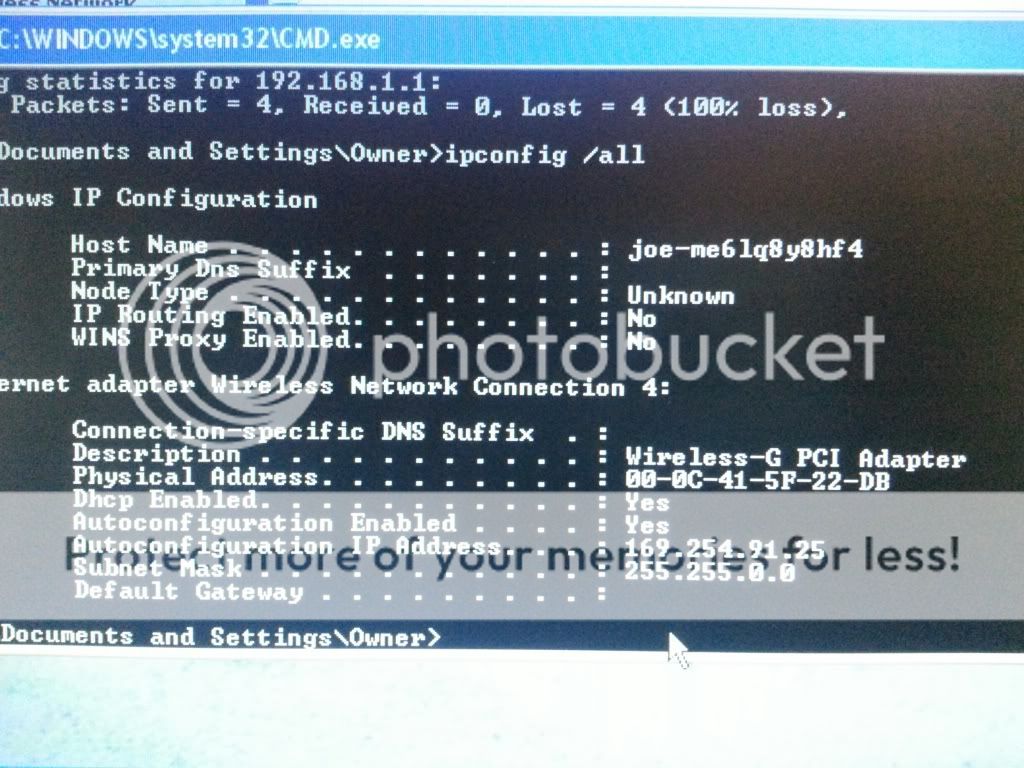
Now as a last resort, I statically entered an ip address of 192.168.1.130 and then it would connect. I tried to type in a DNS address and is started telling me numbers like 357 or 536 couldn't be used. I was thinking about trying a different wireless card as this one might be bad..... But it worked fine in a different PC a number of years back. |
|
it connected, but could not get an ip address.
169 is default if dhcp didn't assign it one. so you might take a look at your router, to see if it ran out of addresses, (your pool is too small), or just go ahead and leave it a fixed ip. use the router's dns entries or ip as dns and it should still work. |
|
Right click the icon, select troubleshoot problems, and see if windows can resolve the problem for you.
If that is a crash and burn, then try Microsoft portable fix it instead. http://www.askvg.com/microsoft-releases-fix-it-portable-troubleshooting-tool-to-automatically-fix-windows-problems/ |
|
so you can set it up to work, or you can figure out the real problem.
the easy thing is to leave dns auto config. set up the ip address in the range with 255.255.255.0 subnet mask and the router as the gateway ip. you should then be able to connect fine. you tried to set dns out side the range. ip address only go to 255 so numbers like 357 are right out. even though you say the router has a pool of 50, are you sure they are not in use? depending on how you have your lease set, they could all be used and nothing left to assign. or worse your security could be lacking and other people could be on the system. or you could have put it into a reserved set and actually not have any. |
|
Well I went ahead and increased the pool to 100.
The darn thing just will not assign an IP address, And it won't even connect with a static config. Unless something is wrong with the card? But I highly doubt it although now i can't get it to connect to the network at all. |
|
so do an ipconfig /all
see if it shows disconnected or not. you might also make sure the laptop can see that network. just incase. and make sure you are not trying to connect to a different one. also are you sure your security matches? rather the type on the router vs type you put in the laptop? mac filtering? |
