


Posted: 11/16/2015 8:06:12 AM EDT
|
My laptop (Windows 7 professional) had been running slow the past week or two. I ran CCleaner and defragged it last week, with no effect. I restarted my laptop yesterday afternoon to install a few Windows updates. 14 updates required more than eight hours to install. That wasn't download time. It was all installation time. About an hour in, I thought it was installing Windows 10. Nope. They were all Windows updates. |
|
Quoted:
Something ain't right. You can download and install a complete operating system in less time. If that's normal, someone at MS needs fired. It's not. OP, it's something with your computer - I have had nothing take more than 10 minutes on any of my 3 home computers or 5 computers at work. |
|
Quoted:
Something ain't right. You can download and install a complete operating system in less time. If that's normal, someone at MS needs fired. It's not normal and it's not microsoft. The OP is doing "it" wrong. My 10 year old laptop with 7 on it completed those updates in about 15 minutes. |
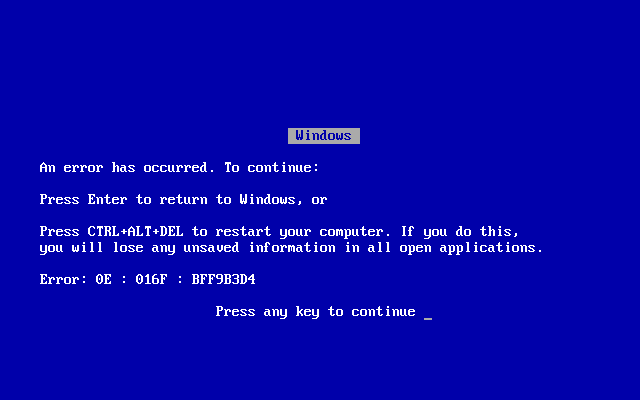
| Did it say, "Installing 14 of 14 updates" or "Please wait installing updates after a restart"? If so, sometimes Windows just stays on that screen for whatever reason. Alt+Ctrl+Del or pressing Enter will usually bring up the log in screen and you can go about your business. |
|
As said above its not Microsoft its your PC. Updates, unless your installing Windows 7 from scratch, do not take hours to install even when installing service packs. Even on an ancient slow old computer the updates won't take hours.
You should probably run a virus scan with your anti virus software and malwarebytes (or similar program) in safe mode to ensure nothing is lurking on your computer. You should also check to see what other programs are running at the same time, could be a background program is hogging the memory and CPU. |

|
This was one of those updates. Sounds like Microsoft issued a bad update, and then a patch for the bad update. http://www.infoworld.com/article/3004441/microsoft-windows/microsoft-surreptitiously-reissues-botched-patch-kb-3097877-for-windows-7.html |
|
Quoted: This was one of those updates. Sounds like Microsoft issued a bad update, and then a patch for the bad update. http://www.infoworld.com/article/3004441/microsoft-windows/microsoft-surreptitiously-reissues-botched-patch-kb-3097877-for-windows-7.html |
|
Quoted:
This was one of those updates. Sounds like Microsoft issued a bad update, and then a patch for the bad update. http://www.infoworld.com/article/3004441/microsoft-windows/microsoft-surreptitiously-reissues-botched-patch-kb-3097877-for-windows-7.html Right, but the symptom you're describing doesn't align with the problems everybody else has been reporting with that update. Your machine is jacked. |
|
Quoted:
This was one of those updates. Sounds like Microsoft issued a bad update, and then a patch for the bad update. http://www.infoworld.com/article/3004441/microsoft-windows/microsoft-surreptitiously-reissues-botched-patch-kb-3097877-for-windows-7.html It effects Outlook when running HTML. Run the onboard diagnostics on your system to ensure your hardware is ok. It could have just hung WU is known to do this. |

|
Quoted: Right, but the symptom you're describing doesn't align with the problems everybody else has been reporting with that update. Your machine is jacked. Quoted: Quoted: This was one of those updates. Sounds like Microsoft issued a bad update, and then a patch for the bad update. http://www.infoworld.com/article/3004441/microsoft-windows/microsoft-surreptitiously-reissues-botched-patch-kb-3097877-for-windows-7.html Right, but the symptom you're describing doesn't align with the problems everybody else has been reporting with that update. Your machine is jacked. No malware reported by Malwarebytes, SuperAntiSpyware, or Windows Defender. Seems odd that my machine would choke on the updates, and run everything else just fine. That makes me believe it's a software problem, not a hardware problem. What's the best app for testing my hard drive? Quoted: pickup an external hard drive and back it up today, pick up a solid state hard drive and replace it after you do that back up |
|
Quoted:
It's working fine now. It always runs slow when downloading/installing updates. Defraggler-ed the entire disk again with no problems. No malware reported by Malwarebytes, SuperAntiSpyware, or Windows Defender. Seems odd that my machine would choke on the updates, and run everything else just fine. That makes me believe it's a software problem, not a hardware problem. What's the best app for testing my hard drive? Meh. I'll just buy another laptop. It's not worth my time to restore from a full backup into a used PC. Quoted:
Quoted:
Quoted:
This was one of those updates. Sounds like Microsoft issued a bad update, and then a patch for the bad update. http://www.infoworld.com/article/3004441/microsoft-windows/microsoft-surreptitiously-reissues-botched-patch-kb-3097877-for-windows-7.html Right, but the symptom you're describing doesn't align with the problems everybody else has been reporting with that update. Your machine is jacked. No malware reported by Malwarebytes, SuperAntiSpyware, or Windows Defender. Seems odd that my machine would choke on the updates, and run everything else just fine. That makes me believe it's a software problem, not a hardware problem. What's the best app for testing my hard drive? Quoted:
pickup an external hard drive and back it up today, pick up a solid state hard drive and replace it after you do that back up I'd try one of these suggestions to see if your HD is going bad. |
|
Quoted:
Yep KB3097877 has been crashing the shit out of Office. Quoted:
Quoted:
This was one of those updates. Sounds like Microsoft issued a bad update, and then a patch for the bad update. http://www.infoworld.com/article/3004441/microsoft-windows/microsoft-surreptitiously-reissues-botched-patch-kb-3097877-for-windows-7.html That one was a wide spread issue, but it's been fixed and re-released as of... Friday I think.. |