


Posted: 4/20/2010 5:05:03 PM EDT
|
I'm getting pwned by my AV Receiver. Shit should be easy to figure out. I've had it over a year, but recently changed out TV and DVD. Now I can't seem to get any damn thing to work right.
Basic info/components: Sony STR-DG600 Receiver (non-HDMI model) Bose 5:1 surround system Comcast cable box Sony DVD (HDMI through TV, was working with DVI cable fed back out of TV to Receiver,,,,,,  ) )
Sony Screen This is not a crazy set-up, 2 f'ing components. I'm thinking its the Bose system, I should have bought the cheap shit. 
|
Crap.
A roommate from wwwwaaaaay back in the day had a similar set up, and it sounded f'in awesome. He had the skillz though. The guy that could diagnose by sight/sound your issues. Was hoping one of ya'll had the gene. I'm seriously thinking about selling the Bose system at this point. One thing I don't like with the bose system, is the speaker harness for the peripherals has a plug at origin that screws in (like a computer monitor cable), the speaker ends are cut so you insert them into the little clamps; however, I'm limited to set up by the length of cable. ( is that standard for current surround systems?) 
|
|
Is it functional untill the weekend??? I'll take a look at your setup when we come over... I always kept the Plasma downstairs simple. Everything went Into the TV. The TV audio output was to the Surround Sound. Only ever had to turn it on and the volume was controlled by the Comcast multi remote, rather than having to use 50 remotes.
|
|
Quoted:
the speaker harness for the peripherals has a plug at origin that screws in (like a computer monitor cable), the speaker ends are cut so you insert them into the little clamps; however, I'm limited to set up by the length of cable. If you think that is a problem, I can see why you're not "gettingthat". 
Tell C&7 if he doesn't get it fixed, we'll mock him. Then, after enough mocking, I can swing by and murderalize it for you. 
|
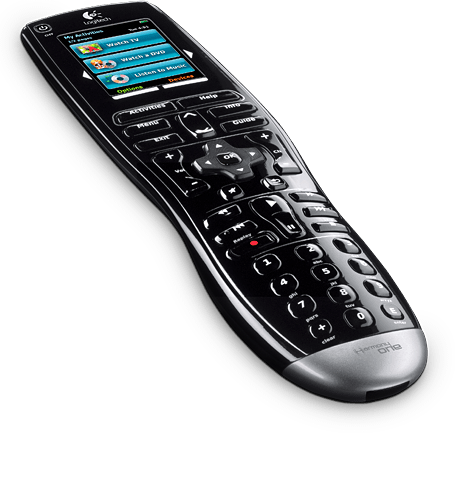
|
Quoted: Quoted: Only ever had to turn it on and the volume was controlled by the Comcast multi remote, rather than having to use 50 remotes. http://www.logitech.com/assets/14668/14668.png Worth the price. Not the same model, but I love mine. |
|
I like those universals as well. I've got it down to 3 now
UPDATE I think i'm narrowing it down: Several pre set buttons on receiver remote Video 1, Video 2, DVD etc etc. Video 1 wast the TV (comcast etc). Now you have Audio modes to accompany that blah blah blah the system for Video 1 is stuck in an analog 2 channel mode and I can't change it. I pulled the audio in (yes anolog L/R) from the comcast box and up it in the DVD Audio IN (DVD uses HDMI So that PORT and Button on the remote are open). Back to full functionality. I just watch TV on DVD sound button. So,, why did I loose that functionality on my Video 1 button . Kid probably put a hex code on the remote or locked something but damned if I can find any thing in the manual.
...and low teck reboot doesn't work etither (kill power). |
|
Absolutely the BEST remote I've ever owned. |
|
Quoted: Absolutely the BEST remote I've ever owned. Indeed. Connect it to your computer, tell it what components you have in your AV system, and program it to do what you want. All other "universal" remotes are dogshit in comparison. |
|
Quoted:
Quoted:
Quoted:
Tell C&7 if he doesn't get it fixed, we'll mock him. Then, after enough mocking...] Dude, I can read!  Damn it! My next plan was to S-P-E-L-L O-U-T words so you wouldn't know what we were talking about.  Nah, just use words longer than 3 syllables!
|